

A GTM tech stack can either make your week feel clean and controlled, or turn Tuesday at 4:40 p.m. into a blur of tabs, spreadsheets, and “wait, where did that lead go?” For a B2B SaaS company between $1M and $5M ARR, the difference usually is not effort. It is structure.
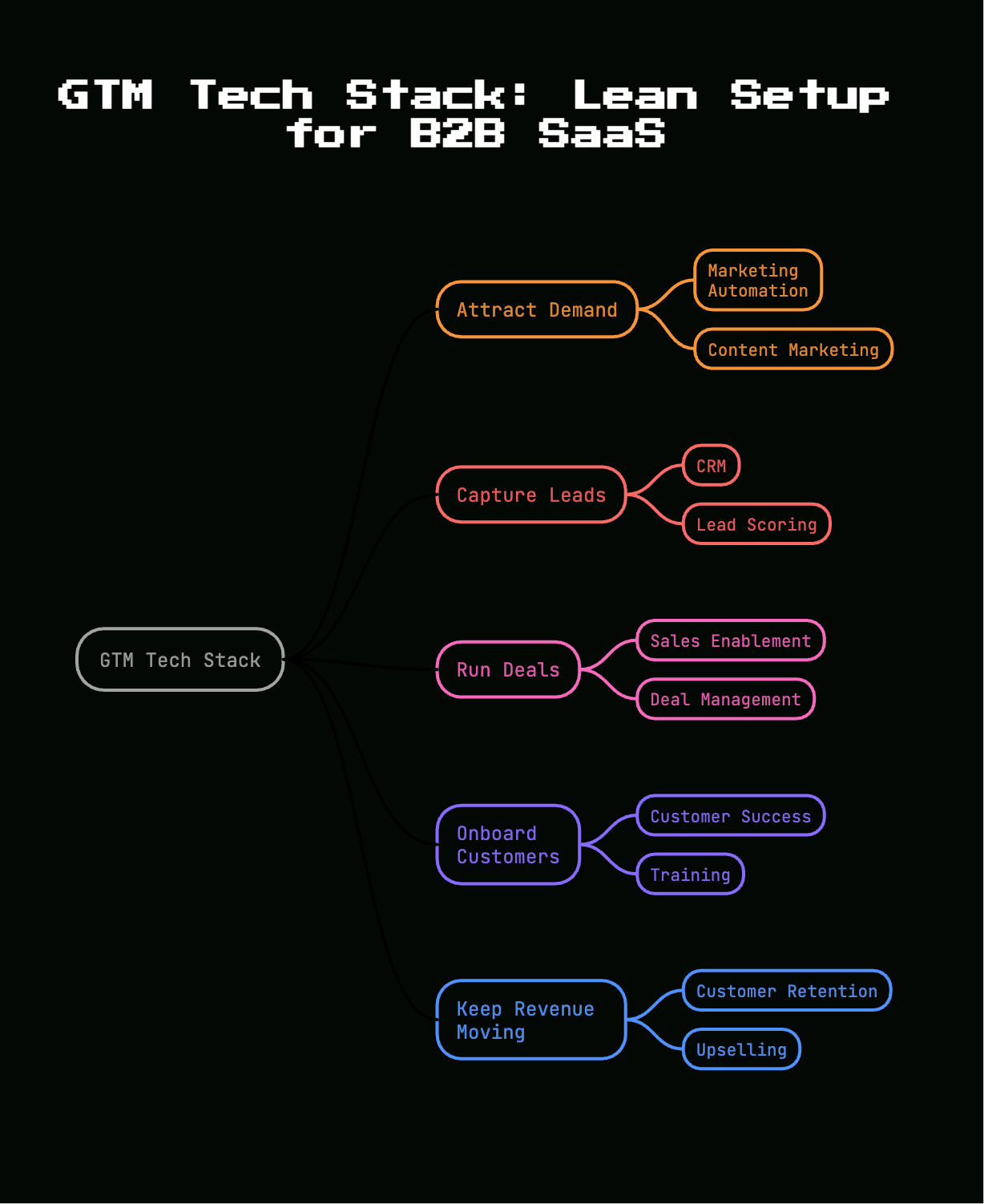
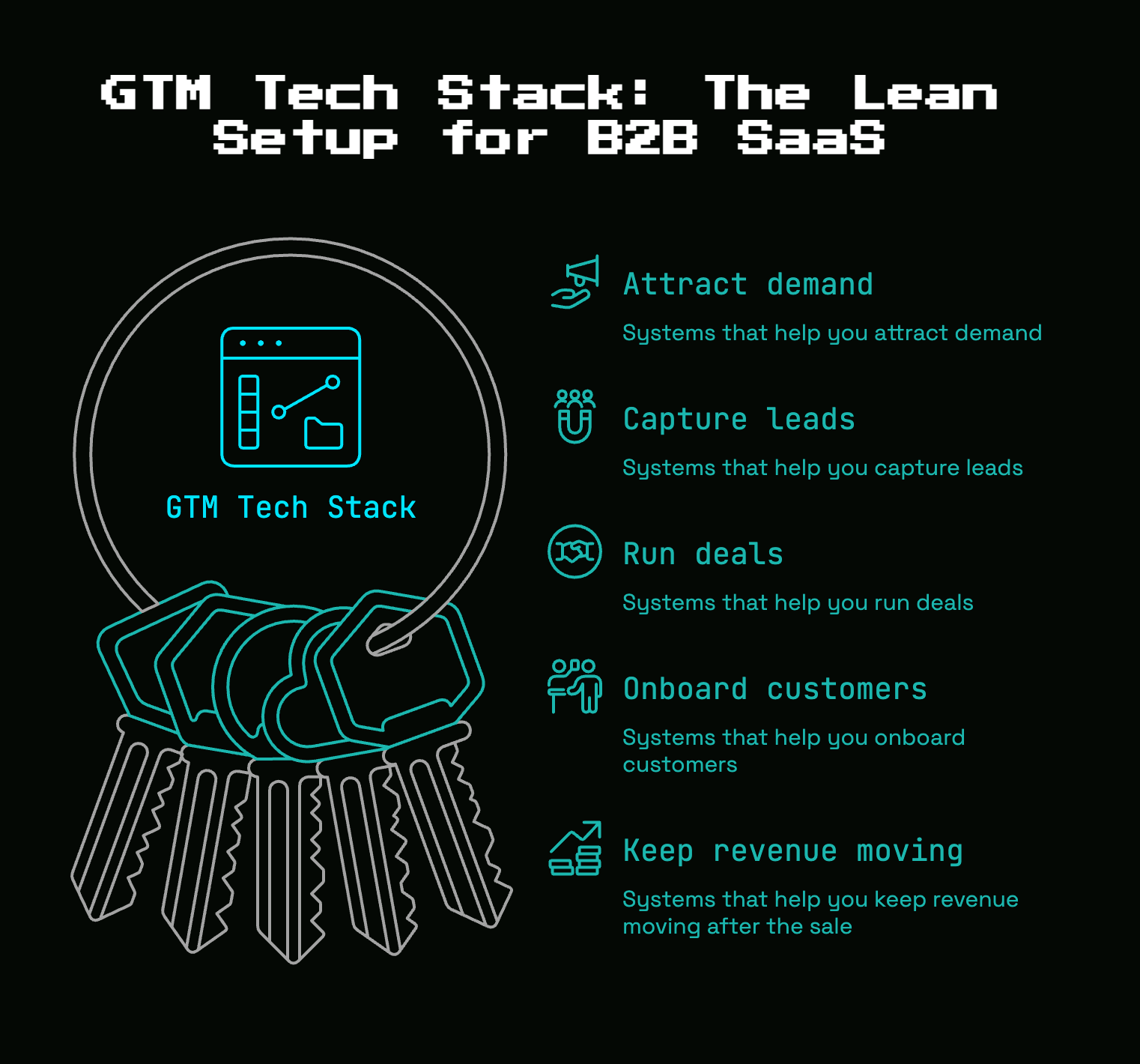
A GTM tech stack is the set of systems that helps you attract demand, capture leads, run deals, onboard customers, and keep revenue moving after the sale. In plain English, it is the small group of tools your go-to-market motion actually runs on, not a shopping cart full of software you bought because somebody on LinkedIn said it was table stakes.
Early on, lean wins. You need a stack that supports the way you sell today, gives you numbers you trust, and does not require a part-time archaeologist to figure out what happened in the CRM six weeks ago.
What a GTM Tech Stack Actually Means
If the phrase sounds bigger than it needs to, that is because it usually gets explained in enterprise language.
A GTM tech stack is just the collection of tools behind your revenue engine. It covers sales, marketing, and customer success. The job is simple: help you find the right accounts, talk to the right people, move deals forward, hand off new customers cleanly, and keep renewals or expansions from getting lost.
That last part matters more than most tool lists admit. A stack is not a trophy shelf. If a tool does not support a real step in your customer journey, it is not part of the stack in any meaningful way. It is just software.
GTM, in plain English
Go-to-market means how your company gets customers and grows revenue from them.
That includes how prospects first hear about you, how leads get qualified, how demos get booked, how deals get tracked, how onboarding happens, and how customers renew or expand. Not theory. Daily work. The email follow-up after a demo, the handoff from sales to onboarding, the dashboard your team checks on Monday morning, all of that is GTM.
Why “stack” matters more than “tool”
One tool can solve one local problem. A stack solves the whole motion.
If your form lives in one place, lead notes in another, call history somewhere else, and customer status in a spreadsheet, your team spends too much time translating. That is where dropped follow-ups, duplicate records, and bad reporting come from. A connected stack keeps context attached to the account so each step builds on the last one.
Here’s the thing: the cost of disconnected tools is rarely the software bill. It is the quiet drag of manual work and fuzzy ownership.
Why Lean Beats Bloated for Early-Stage B2B SaaS
More software is not a strategy. For early-stage SaaS, it is often the opposite.
Every added tool introduces setup work, permissions, training, field mapping, process decisions, and one more place where data can drift out of sync. If your team barely opens the app after week one, that tool is not helping your GTM motion. It is rent.
A lean stack works better because it forces clarity. Each system has a job. Each handoff has an owner. Each number has a place it comes from. That sounds almost boring, which is exactly why it works.
The real problem: too many tabs, not enough traction
This mess shows up in familiar ways. One app captures forms. Another sends nurture emails. Reps take notes in docs. Pipeline lives in the CRM, sort of. Marketing reports one number, sales reports another, and customer success keeps its own spreadsheet because nobody trusts the handoff fields.
At that point, the issue is not missing technology. The issue is fragmentation. The team is busy, but the motion is brittle.
What “lean” looks like at $1M, $5M ARR
At this stage, lean usually means one strong core system, usually a CRM, plus a few tightly chosen tools around it. You need enough functionality to support lead capture, follow-up, pipeline management, onboarding visibility, and reporting. Not much more.
Clear ownership matters just as much. Somebody owns the CRM. Somebody owns lifecycle stages. Somebody owns routing logic. Without that, even a small stack becomes a junk drawer surprisingly fast.
Start With Your GTM Motion, Not a Shopping List
The right stack depends on how you sell. A founder-led, demo-heavy motion needs something different from an outbound-heavy team booking meetings into a rep queue. Product-led SaaS has its own needs. Partner-led sales does too.
So start with the motion. Then buy the tools that support it.
Map your buyer journey before you buy anything
Write out the actual stages your prospects move through: demand capture, qualification, pipeline, close, onboarding, expansion, renewal.
That map does two useful things. First, it shows where systems need to exist. Second, it reveals where your process is vague. If you cannot clearly explain how a hand-raiser turns into an opportunity, no software will fix that. But once the path is visible, the gaps become obvious. Maybe leads are captured but not routed fast enough. Maybe closed-won deals never reach onboarding with the right context. Maybe renewals depend on calendar reminders and luck.
Match tools to bottlenecks
Buy for the bottleneck, not for completeness.
If follow-up is slow, fix sales execution. If attribution is fuzzy, improve tracking and reporting. If handoffs keep breaking, tighten the CRM and lifecycle fields first. If churn risk catches you by surprise, add customer success visibility before buying another top-of-funnel gadget.
The trick is to solve the problem closest to revenue. Fancy features are nice. Removing a broken step in the funnel is better.
The Core Systems Every Lean GTM Stack Needs
Most early-stage B2B SaaS teams need the same core categories. The difference is how much software sits inside each one.
CRM: your system of record
Your CRM is the anchor. It should hold accounts, contacts, deals, key activities, ownership, lifecycle status, and enough history that somebody else can pick up the thread without guessing.
If the CRM is messy, everything stacked on top of it gets messy too. Reports go soft. Automations misfire. Reps stop updating fields because the fields feel pointless. That is why CRM hygiene is not admin trivia. It is operational health.
A lean CRM setup is usually better than a clever one. Keep fields limited to decisions you actually make. Keep deal stages tied to real exits, not vague vibes. Keep required fields rare and meaningful.
Marketing automation: capture, nurture, and route demand
You need a way to collect inbound demand, send follow-up, manage forms, apply lifecycle stages, and route leads to the right owner.
That can live inside an all-in-one platform or sit in a dedicated automation tool. Either way, the must-haves are straightforward: forms that feed the CRM, basic nurture, lead source tracking, and clean routing. At this stage, you do not need a maze of branching workflows for every ebook download. You need reliable handoffs and sensible lifecycle movement.
If a lead fills out a demo request, the system should know what to do next without somebody manually forwarding an email.
Sales execution: outreach, sequencing, and meeting flow
Once inbound volume grows or outbound becomes repeatable, reps need structure. A sales execution layer helps with sequences, follow-up cadences, meeting booking, task management, and activity visibility.
This category matters as soon as opportunities start slipping simply because nobody got back in time. If you are still founder-led, a lightweight setup can be enough. Once you hire the first rep, consistency matters more. That is where a real engagement tool starts paying for itself.
Customer success: onboarding, renewals, and expansion visibility
Post-sale tooling arrives earlier than many teams expect.
As soon as churn, onboarding friction, or renewal timing starts affecting growth, you need some system for customer status. That does not always mean a full customer success platform on day one. It might be CRM-based health fields plus a few automations. But you do need visibility into who onboarded, who stalled, when renewals are coming, and where expansion opportunities live.
Without that layer, revenue after the close becomes oddly invisible.
Analytics and reporting: one place to trust the numbers
Reporting should answer practical questions: How fast are leads getting worked? Which source creates pipeline? Where do deals stall? What is coming up for renewal?
Good enough and used beats advanced and ignored. A clean CRM dashboard that your team checks weekly is worth more than a beautiful BI environment nobody trusts. Keep reporting close to the systems where work happens, especially early on.
The Optional Layers That Help, If the Core Is Already Working
Optional does not mean useless. It means these tools help once the basics are stable.
Data enrichment and buyer signals
Enrichment fills in missing company and contact data automatically. That can mean job titles, company size, industry, website, or tech stack. Buyer signals add clues about timing, such as intent data, product usage, or website behavior.
Useful? Yes. Mandatory? Not always.
Enrichment usually pays off earlier than pure intent tools because clean records improve routing, segmentation, and rep prep right away. Intent tools can help, but the catch is that many early-stage teams buy expensive signals before fixing the workflow that turns a signal into action.
Call recording and conversation intelligence
Call recording helps with note capture, coaching, keyword tracking, and reviewing real customer language.
This starts to matter once you have enough calls to spot patterns. If your first rep is ramping, recorded calls shorten the feedback loop. If your founder still runs most sales, a simple recorder with auto-notes can save time immediately. Just make sure the call output flows back into the CRM or a shared place your team actually uses.
Sales enablement and content management
This category covers battlecards, collateral organization, messaging guidance, and proposal content.
For a small team, that often means a well-organized shared workspace and a few approved assets, not a heavyweight platform. If reps cannot find the latest deck or pricing one-pager, fix that. But do not buy enterprise enablement software just to manage six PDFs and a case study.
Support and customer communication tools
Chat, help desk, shared inbox, and text messaging can absolutely belong in the GTM stack when customer communication affects conversion, onboarding, or retention.
If chat creates leads, connect it. If support issues affect renewals, surface them. If onboarding conversations happen in a help desk, your sales and CS systems should not act like those customers disappeared. The line between “support tool” and “GTM tool” is simple: if it influences revenue decisions, it belongs in the picture.
AI and automation layers
AI can help with note-taking, email drafting, field summarizing, lead routing, and workflow triggers. That is the useful version.
The bad version is adding three separate AI apps that each watch your calls, each write summaries, and none update the actual systems your team uses. AI should remove repetitive work inside existing workflows. If it creates another tab to babysit, skip it.
The Lean GTM Tech Stack by Company Stage
Your stack should change as complexity changes. Not before.
Founder-led sales and the first repeatable motion
At this stage, the lightest viable stack is enough: a CRM, calendar scheduling, basic email automation, simple reporting, and one source of truth for notes.
You are still close to the customer, which is an advantage. Keep the system clean while the volume is low. Define lead stages early. Capture source data. Record why deals are won or lost. These habits are much easier to build now than later.
Hiring your first sales rep
The big change is that knowledge can no longer live in your head.
Once somebody else carries conversations, your stack needs cleaner routing, clearer pipeline stages, call notes, and a repeatable follow-up motion. A sequence tool often enters here. So does a stronger expectation that the CRM reflects reality. If a rep has to ask where leads come from, what counts as a qualified opportunity, or how to hand off a closed-won account, the stack is too loose.
Early scale at $1M, $5M ARR
This is where gaps start to hurt financially.
You usually need stronger lifecycle automation, better source and pipeline attribution, onboarding visibility, renewal tracking, and tighter reporting across sales, marketing, and customer success. Not because you became “complex,” but because revenue now depends on coordination. The system has to support more than one person doing the same thing the same way.
A Practical Lean Stack Blueprint for B2B SaaS
A good blueprint is simple, durable, and easy to maintain. Think apartment kitchen, not restaurant buildout. Enough to cook every day, nothing weird taking up counter space.
Your minimum viable stack
The minimum viable stack for most B2B SaaS teams includes five parts: a CRM, marketing automation, meeting scheduling, structured sales follow-up, and reporting.
That can mean one platform handles several jobs. In fact, that is often ideal early on. If your CRM can manage forms, email nurture, routing, and dashboards well enough, that reduces integration headaches. Add a scheduler and a lightweight engagement layer if follow-up needs more structure.
The decision rule is simple: every tool should either store core revenue data, move work to the next step, or make decisions clearer.
The next three additions that usually pay off
After the basics are stable, three upgrades tend to pay back quickly.
First, enrichment. Better account and contact data improves routing, segmentation, and rep prep with very little behavior change required from your team.
Second, call recording. It saves admin time, captures customer language, and makes coaching easier as volume increases.
Third, customer success visibility. Even a modest system for onboarding status, renewal dates, and risk flags can close a serious blind spot before churn becomes a pattern.
What to avoid until you actually need it
Some categories arrive too early again and again.
Complex attribution suites are a common one. If your UTM discipline is weak and your CRM stages are messy, an advanced attribution tool will not rescue you. Heavy sales enablement platforms can also come too soon. So can expensive intent data, sprawling automation layers, and BI setups that require constant maintenance.
Buy these once the core motion is stable enough to benefit from them. Not when the basics still wobble.
How to Audit Your Current GTM Stack Without Making It a Quarter-Long Project
A useful audit should take days, not a season.
Start with your current tool list, your actual workflows, and your team’s weekly habits. The goal is not to document every setting. The goal is to figure out what helps, what overlaps, and what creates friction.
Ask four blunt questions about every tool
For each tool, ask four things.
What job does it do? Who uses it every week? What breaks if you remove it? Is the same data already living somewhere else?
Those questions cut through a lot of rationalization. A tool with no clear owner, low weekly use, and duplicate data is usually a cut candidate. A tool that quietly powers lead routing or onboarding alerts may be more valuable than it looks.
Find overlap, shelfware, and workflow gaps
Look for duplicate categories first. Two note-taking tools. Two enrichment subscriptions. Two dashboards reporting slightly different pipeline numbers.
Then look for hidden manual work. Maybe no system owns renewal reminders, so somebody manages them from a spreadsheet. Maybe inbound leads hit the CRM but do not create tasks. Maybe onboarding data never returns to the account record. Those gaps matter more than feature wish lists.
Keep, replace, consolidate, or cut
Every tool should land in one of four buckets: keep it, replace it, consolidate it into another system, or cut it outright.
Keep tools with clear ownership, real weekly use, and a distinct role. Replace tools that solve the right problem poorly. Consolidate tools when one platform can credibly absorb the work. Cut tools that mostly create noise.
Be decisive here. “Maybe later” is how shelfware survives.
Integration: Make the Stack Feel Like One System
The goal of integration is not elegance. It is fewer dropped leads, cleaner reporting, and less copy-paste work.
Pick a source of truth for each kind of data
Choose one home for each major data type. Contacts and accounts usually belong in the CRM. Opportunities too. Product usage may live in your app database or warehouse, but key signals should feed back into customer records. Support history may originate in the help desk, yet important status should still be visible where revenue teams work.
If multiple systems are allowed to own the same field, conflict is guaranteed.
Build the critical workflows first
Start with the workflows closest to revenue: form fill to CRM, lead routing, handoff to sales, closed-won to onboarding, renewal reminders, and reporting syncs.
That list is enough for most early-stage teams. Build those cleanly before adding edge cases. A small number of dependable workflows beats a giant automation web that nobody fully understands.
Avoid the “sync everything” trap
Not every field belongs everywhere.
If a value does not drive action in a destination system, do not sync it. Flooding tools with every property you have creates clutter, bad mappings, and endless cleanup. Keep the data that helps somebody do a job: owner, stage, source, renewal date, product tier, health status, next step.
That is usually enough.
Governance: Who Owns What in a Small Team
Governance sounds formal. In a small SaaS company, it just means somebody is in charge and the rules are written down.
Even without RevOps, somebody has to own the system
You do not need a formal RevOps title to manage the stack well. But you do need explicit ownership.
That owner might be you as the founder, an ops-minded marketer, a sales lead, or a CS leader. The role is less about strategy decks and more about practical stewardship: field changes, workflow fixes, permissions, pipeline definitions, and reporting sanity.
Set simple rules for fields, stages, and handoffs
Keep the rules short and specific. Define lifecycle stages. Define pipeline stages. Define what makes a lead qualified and what makes an opportunity real. Define what information must be present before a handoff to onboarding.
Without those rules, every dashboard turns into an argument about semantics.
Review the stack on a cadence
A lightweight monthly or quarterly review is enough for most teams. Check tool usage, broken syncs, field sprawl, stage quality, and whether your reporting still matches how you sell.
Do this before drift turns into a cleanup project in a conference room at 4:40 p.m. on a Thursday, with somebody asking why there are 17 versions of “demo completed” in the CRM.
Common GTM Tech Stack Mistakes That Slow Growth
Most stack problems are not dramatic. They are small decisions repeated for months.
Buying for future complexity instead of current needs
Enterprise-grade software is tempting because it feels safe. You will “grow into it.” Usually, you just inherit setup work, extra admin, and features no one touches.
Buy for the motion you run now, plus a little headroom. Not for the org chart you hope to have two years from now.
Letting the CRM become a junk drawer
Bad fields, inconsistent stages, stale contacts, missing owners, and activity data nobody trusts, this is how the CRM stops being useful.
Once that happens, people work around it. Notes move into docs. Forecasts move into spreadsheets. Reporting gets rebuilt elsewhere. Fixing this early is much cheaper than rebuilding trust later.
Automating a broken process
Software scales habits. Good ones and bad ones.
If lead routing is unclear, automating it just makes confusion faster. If handoffs are vague, the automation will faithfully move incomplete records into the next system. Get the process working manually first. Then automate the repeatable parts.
Chasing dashboards before fixing data quality
Polished charts are satisfying. Clean inputs are what matter.
If source data is inconsistent, stages are loosely applied, and required fields mean nothing, better dashboards will only make bad information easier to present. Reporting should support decisions. It is not wall art for the board deck.
How to Measure Whether Your GTM Stack Is Working
A healthy stack shows up in revenue outcomes and smoother operations, not just login counts.
Revenue and pipeline signals to watch
Watch lead response time, meeting-to-opportunity rate, sales cycle length, stage conversion, win rate, and renewal or expansion visibility.
Those metrics tell you whether your tools are helping people act at the right moment. If response time improves after better routing, that matters. If onboarding visibility shortens time to value and supports renewals, that matters more than a spike in software adoption.
Operational signs your stack is healthy
Healthy stacks have good adoption, clean enough data, reliable syncs, fewer manual handoffs, and less debate about which number is right.
You can feel this pretty quickly. Reps know where to log work. Marketing trusts source reporting. CS can see what was promised during the sale. Fewer people say, “I think it’s in another system.”
When to add a tool versus fix the process
Add a tool when a real capability is missing. Fix the process when the existing capability is present but poorly used.
If your CRM supports assignment rules and no one set them up, you do not need another routing tool. If reps have a sequence platform but still follow up inconsistently, the issue may be management, stage discipline, or message quality. A tool gap is real when the job cannot be done reasonably with what you already have.
What to understand before you add anything else
The best GTM tech stack for a small B2B SaaS company is usually smaller than expected and cleaner than average. One dependable system of record, a few connected tools, and clear ownership will outperform a flashy pile of apps almost every time.
Before adding anything new, try one thing: audit your CRM and fix one broken handoff or cut one redundant tool this week. That single move often does more for pipeline than another software demo ever will.


Discussion