

CRM cleanup usually starts with a tiny moment of dread: you open your pipeline, spot three copies of the same company, and suddenly none of the numbers feel real. The good news is that CRM cleanup is fixable, and you do not need a giant ops team to do it. You need a clear scope, a backup, and a calm way to work through the mess before it spreads into forecasting, follow-ups, and customer handoffs.
What CRM cleanup actually fixes
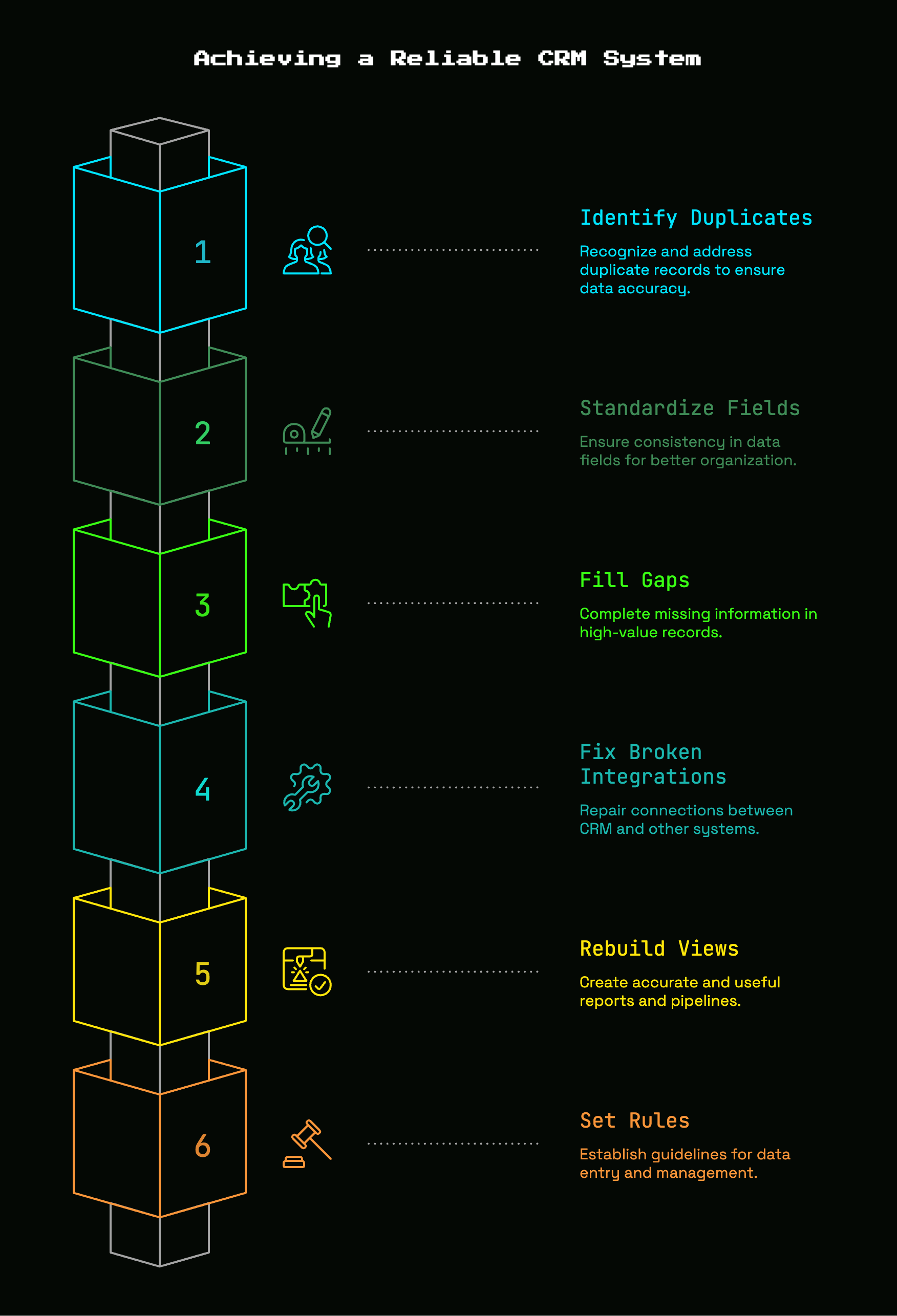
CRM cleanup means cleaning up the records that make your system unreliable: duplicates, stale contacts, missing fields, broken relationships, and naming chaos. In plain English, you are turning a cluttered database back into something your team can trust.
That matters more than it sounds. If one company exists as “Acme,” “Acme Inc,” and “ACME, Inc.” with two different owners and one open deal attached to the wrong record, your CRM stops acting like a system and starts acting like a rumor.
The point is not cosmetic tidiness. The point is making sure one account has one home, one deal has one owner, and your team is not guessing what is true every time somebody opens a record.
Why this matters before the mess spreads
A messy CRM is not a small admin issue. It is a revenue problem.
Bad records poison reports first. Then the damage spreads outward. Reps waste time hunting for the right contact. Marketing routes leads to the wrong owner. Support misses account context. Leadership starts forecasting from numbers that look precise but are built on sand.
That chain reaction is common. In one industry snapshot, 37% of CRM users said poor data quality caused direct revenue loss. Another found that less than half of CRM data is accurate and complete for many teams, which honestly explains why so many pipeline reviews feel like arguments instead of decisions.
The AI angle makes this more urgent, not less. If you are layering automation or AI onto messy data, you are just helping the mess move faster. Gartner-related reporting says 40% of agentic AI CRM projects will fail or stall due to data quality issues, not because the AI itself is weak.
What you’ll need before you start
Before Step 1, get the basics in place. You need CRM admin access, export permissions, a spreadsheet, a focused block of time, and one person who can make decisions when edge cases show up. If nobody owns the final call, cleanup turns into a group chat that never ends.
You do not need to make the database perfect by lunch. You need to make it trustworthy enough that your team can use it without second-guessing every field.
Access to the right systems
Open every system that feeds data into your CRM before touching records. That usually means your CRM, enrichment tool if you use one, website forms, calendar and email sync, billing system, support platform, and any spreadsheet that quietly became a shadow database six months ago.
This step saves time later. A lot of CRM mess does not start inside the CRM. It lands there from broken forms, sloppy imports, or sync rules that overwrite good data with worse data.
A simple backup plan
Export your key records before any bulk edit. Contacts, companies, deals, owners, record IDs, lifecycle stages, pipeline stages, created dates, last modified dates, and key custom fields should all go into a backup file.
That file is your seatbelt. If a bulk merge goes sideways at 4:17 p.m., you will be glad you have a before snapshot instead of trying to reconstruct history from memory.
A clear cleanup goal
Pick one thing to improve first. Better pipeline reporting. Cleaner lead routing. Fewer duplicate contacts. Faster handoffs. Any of those work.
The trick is choosing one outcome that matters right now. Otherwise CRM cleanup turns into endless tidying, like reorganizing a garage while the front door is still off its hinges.
Step 1: Pick the cleanup scope so you don’t boil the ocean
- Choose the object causing the most daily friction: contacts, companies, or deals.
- Ignore the rest for the first pass.
- Write down the exact scope in one sentence.
A good scope looks like this: “Clean all open deals and the related accounts touched in the last 12 months.” That is tight enough to finish and broad enough to matter.
Start with the records tied to active revenue
- Filter for open deals, active customers, and recently touched leads.
- Sort by value, stage, or recent activity.
- Start there.
This gives you the fastest payback. If your current pipeline is messy, every sales meeting, forecast call, and handoff is already slower than it should be. Fixing active revenue records first gets the CRM useful again before you wander into the historical graveyard.
Set a date range and ownership boundary
- Pick a timeframe, such as records updated in the last 12 months.
- Pick an ownership line, such as sales-owned pipeline records only.
- Exclude everything outside that boundary for now.
Boundaries keep the project moving. Without them, you will end up debating whether to fix a lead from 2021 that nobody has touched since your first office sublease.
Step 2: Audit the mess and label the problems
- Pull a spreadsheet export of the scoped records.
- Scan for patterns before changing anything.
- Create a simple issue column to tag record problems.
- Use labels like duplicate, incomplete, stale, formatting, taxonomy, and orphaned.
This is faster than random cleanup. Once you can sort by problem type, you stop fixing one record at a time and start fixing the system behind the errors.
Find duplicate records
- Sort contacts by email address.
- Sort companies by domain.
- Scan company names for close matches, spelling variants, and punctuation differences.
- Review deals with the same company, amount, or close date.
Email and domain are your strongest matching clues. Company name alone can be messy, so use fuzzy judgment there. “Acme,” “Acme.io,” and “Acme Technologies” may be the same account, or not. Treat uncertain matches as review items, not auto-merges.
Find incomplete records
- Filter for blank owner fields.
- Filter for missing lifecycle stage, next step, domain, industry, or segment.
- Note which blanks actually block routing, reporting, or outreach.
Not every empty field matters. “Favorite webinar topic” can wait. Missing owner, company domain, or next step cannot.
Find outdated or stale records
- Sort by last activity date or last modified date.
- Flag bounced emails and former employees.
- Identify deals stuck in one stage for too long.
- Mark records untouched for months.
CRM data decays fast. Some research puts unmanaged CRM decay at about 34% per year. That is why stale records pile up so quickly, especially once hiring picks up and contacts change jobs.
Find formatting and taxonomy issues
- Scan for capitalization problems.
- Standardize state and country values.
- Look for free-text fields that should be picklists.
- Find overlapping labels for the same concept.
This is the part where your CRM starts sounding like five different teams built it. “VP Sales,” “Vice President of Sales,” “vp sales,” and “Head of Sales” may all be useful titles, but not if your reports need consistency.
Find orphaned records and broken relationships
- Filter for contacts without companies.
- Filter for deals without owners.
- Check accounts missing related activity history.
- Review records linked to the wrong parent account.
Orphaned records create weird blind spots. A rep sees a contact but misses the account history. A deal exists but nobody owns it. That is how revenue leaks through cracks nobody notices until renewal or forecast time.
Step 3: Back up your data and create a safe staging area
- Export your scoped data before editing.
- Create a separate working sheet or staging view.
- Set up a quarantine list for suspicious records.
- Decide what needs manual review.
This keeps the project calm. Cleanup gets stressful only when every change feels permanent.
Export the key objects and fields
- Export contacts, companies, deals, and owners.
- Include record IDs and timestamps.
- Include major custom fields used in routing, reporting, and handoffs.
Record IDs matter more than names here. Names change. IDs tell you exactly which record was changed, merged, archived, or restored.
Create a quarantine list instead of deleting right away
- Build a static list or saved view for stale or suspicious records.
- Move low-confidence records there first.
- Delete only after review.
Quarantine is better than panic deletion. Old leads, generic inboxes, and sketchy imports can sit out of the way without polluting your active database or disappearing forever.
Decide what needs manual review
- Flag similar company names with different domains.
- Flag high-value deals with missing owners.
- Flag contacts who may have changed jobs.
- Flag parent-child account relationships.
Anything tied to active revenue deserves a human decision. Bulk rules are useful, but this is not the place to let speed beat judgment.
Step 4: Merge duplicates without breaking history
- Set merge rules before clicking anything.
- Merge contacts first.
- Merge companies second.
- Merge deals last.
- Check history and associations after each batch.
This is where your CRM starts feeling normal again. One clean record with the right notes, emails, and owner is surprisingly satisfying.
Choose your master record rules
- Keep the record with the most complete fields.
- Prefer the record with the most recent real activity.
- Prefer valid work email and valid company domain.
- Keep the record already tied to open deals or customer history.
Write these rules down first. If you decide case by case, you will merge inconsistently and create new confusion while fixing old confusion.
Merge contacts first, then companies, then deals
- Merge duplicate contacts.
- Reconnect or review company associations.
- Merge duplicate companies.
- Review linked deals.
- Merge duplicate deals last.
That order matters because contacts usually anchor the cleanest identifiers, especially email. Once contacts are tidy, company matching gets easier. Once companies are tidy, deal cleanup gets much less tangled.
Watch for edge cases before clicking merge
- Check shared inboxes like info@ or sales@.
- Review parent-child company structures.
- Separate contacts who moved to a new employer.
- Check for duplicate subsidiaries under one parent brand.
The catch is that not every “duplicate” is actually a duplicate. One person can appear twice because the job changed. One brand can have multiple legal entities. Slow down on those.
Step 5: Standardize fields, values, and formatting
- Clean field values in bulk where possible.
- Convert messy free text into controlled options.
- Retire overlapping fields.
- Make only the right fields required.
This is how your CRM stops speaking in five dialects at once.
Lock down naming conventions
- Choose one company naming rule.
- Standardize state and country values.
- Format phone numbers consistently.
- Normalize job titles where useful.
- Lowercase email fields.
If your tools support it, normalize phone numbers to E.164 and keep email addresses lowercase. Small formatting choices make duplicate detection and reporting much more reliable later.
Clean up lifecycle stages and pipeline stages
- Review your current stage list.
- Remove outdated or overlapping stages.
- Define what each active stage means in one sentence.
- Map every active record to the correct stage.
Lifecycle stage tells you where a person or account sits in your GTM motion. Pipeline stage tells you where a deal sits in the sales process. If those meanings drift, reports become fiction.
Consolidate duplicate custom fields
- Find fields that capture the same thing.
- Pick one keeper field.
- Migrate useful values into it.
- Hide or archive the rest.
A common early-stage problem is adding a new field every time one gets annoying. Six months later you have “Lead Source,” “Original Source,” “Source Detail,” and “Inbound Channel” all half-used.
Define required vs. optional fields
- Make only the fields that affect action mandatory.
- Leave nice-to-have context as optional.
- Test the save experience after changes.
Too many required fields produce junk data. If reps need ten clicks to save a contact after a call, some fields will get fake answers just to get past the form.
Step 6: Fill the gaps in high-value records
- Rank records by revenue relevance.
- Fill missing data only on the records that matter most.
- Use trusted sources, not guesswork.
- Archive what is not worth saving.
Perfection is a trap. High-value completeness beats low-value sprawl every time.
Prioritize fields that affect routing, reporting, and outreach
- Fill owner.
- Fill company domain.
- Fill segment or ARR band.
- Fill country.
- Fill next step.
These fields change action. Without them, records sit in limbo and reports stay muddy.
Use trusted sources to update records
- Check email signatures.
- Check company websites.
- Check LinkedIn.
- Check billing and support systems.
- Use enrichment tools carefully.
Auto-fill can help, but do not trust it blindly. A guessed industry or inflated headcount can spread across workflows fast if your sync rules accept every update as truth.
Archive or quarantine records that are not worth saving
- Move dead or irrelevant records out of active views.
- Keep compliance-sensitive history if needed.
- Remove obvious junk after review.
Your active CRM should feel like a working system, not a museum. Archiving old noise makes current records easier to trust and easier to find.
Step 7: Fix broken automations, forms, and integrations
- Review where bad data enters the system.
- Check form validation and sync logic.
- Repair routing rules.
- Test changes in small batches.
Here’s the thing: if bad inputs stay live, your cleanup will last about a week.
Review lead capture forms and required fields
- Check for junk-friendly fields.
- Tighten capitalization and email validation.
- Reduce unnecessary required fields.
- Block personal emails if work emails are needed.
Forms can quietly train people to lie. If your demo form asks for too much, “asdf” starts showing up in fields you hoped would be useful later.
Check sync rules between tools
- Audit marketing, support, billing, enrichment, and spreadsheet imports.
- Check which tool creates new records.
- Check which tool can overwrite existing values.
- Stop duplicate creation at the source.
Disconnected systems create real drag. Some teams lose 15 hours per week chasing data across tools, which is exactly what a CRM is supposed to prevent.
Update routing and assignment logic
- Review owner assignment rules.
- Review territory or segment logic.
- Test handoff triggers after cleanup.
- Confirm new records land with the right person.
Routing is where clean data starts paying rent. A lead that enters correctly, gets assigned correctly, and shows up in the right rep view feels ordinary, which is the whole point.
Step 8: Rebuild your views, reports, and pipeline with clean data
- Update the saved views your team uses daily.
- Refresh report filters after field changes.
- Review pipeline totals for anything obviously off.
If you skip this step, cleanup stays invisible. And invisible projects never stick.
Create clean working views for reps
- Build a view for new leads.
- Build a view for stale deals.
- Build a view for accounts with no next step.
- Build a view for records missing key fields.
Useful views do more than report. They quietly coach behavior by making the next action obvious.
Refresh reporting filters and dashboards
- Update dashboards to reflect current stage definitions.
- Remove filters tied to retired fields.
- Recheck source, segment, and owner rollups.
This matters because reporting logic often lags behind field cleanup. If definitions changed, old dashboards can compare apples to office chairs.
Sanity-check your pipeline numbers
- Review deal counts by stage.
- Review close dates for obvious nonsense.
- Review owner assignments.
- Compare total pipeline before and after cleanup.
A clean pipeline should look simpler, not more dramatic. If totals swing wildly, trace the records that changed most and make sure the logic is sound.
Step 9: Set simple CRM rules your team will actually follow
- Write short rules.
- Assign responsibility.
- Remove friction from data entry.
- Build cleanup into normal work.
The best CRM rules fit on one page. Anything longer usually becomes shelf decor.
Write a one-page data entry playbook
- Define how to name companies.
- Define when to create a new contact.
- Define what must be updated after a call or meeting.
- Define when to create or close a deal.
Keep it practical. If a rule does not affect reporting, routing, or handoff, it probably does not belong in the playbook.
Assign ownership for data hygiene
- Sales owns deal updates and next steps.
- Marketing owns lead source quality and form inputs.
- Founders or ops own fields, rules, and stage definitions.
Ownership prevents polite neglect. Without it, everyone notices the mess and nobody fixes it.
Reduce friction at the point of entry
- Remove unnecessary fields.
- Set smarter defaults.
- Use dropdowns where consistency matters.
- Capture activity automatically when possible.
This helps more than reminders do. Reps already spend too much time outside actual selling, and only 34% of rep time goes to selling in some studies. Your CRM should ask for the minimum needed to keep the system useful.
Step 10: Put CRM cleanup on a schedule so it stays clean
- Set a weekly review.
- Set a monthly audit.
- Set a quarterly structure check.
- Put all three on the calendar now.
CRM cleanup is recurring maintenance. More trash day than home makeover.
Weekly tasks
- Review duplicates.
- Clean stale deals.
- Fix records missing owners.
- Fix records missing next steps.
- Review quarantine additions.
Monthly tasks
- Audit field completeness.
- Review inactive contacts.
- Review quarantined records.
- Spot-check integration quality.
- Test form submissions.
Quarterly tasks
- Review taxonomy and naming standards.
- Review pipeline stages.
- Review archived or hidden fields.
- Run a broader audit tied to planning and reporting.
That cadence matches reality. Data keeps decaying, people keep changing jobs, and tools keep syncing in weird ways. Scheduled cleanup beats emergency cleanup every time.
Common CRM cleanup mistakes to avoid
The biggest mistakes are predictable: deleting too early, overbuilding fields, forcing too much data entry, and cleaning records without fixing intake. Most cleanup pain comes from trying to do too much too fast, or from treating symptoms while leaving the source untouched.
Cleaning everything at once
An all-at-once cleanup feels ambitious, but it usually stalls. Start where bad data is already affecting active pipeline, handoffs, or routing. Finish one high-friction area, then expand.
Trusting enrichment or AI blindly
Automation can fill gaps fast, but it can also spread bad assumptions faster. Plenty of teams are excited about AI while 45% say CRM data is not ready for it. Clean source rules still matter.
Measuring activity instead of quality
“Touched 4,000 records” is not a win by itself. Better routing, fewer duplicates, cleaner forecasts, and fewer awkward double-touches are better success signals because they show the CRM got more usable.
Troubleshooting: What to do when the cleanup gets messy
Even a well-scoped cleanup hits snags. The trick is not to stop. It is to tighten the rule, reduce the batch size, and keep moving.
If duplicate rules create false matches
Tighten your match logic. Use domain, owner, and recent activity as extra checks before merging. If a match is not clearly safe, route it to manual review instead of forcing it.
If your team disagrees on field definitions
Tie every field to one job. Reporting, routing, or handoff. If a field does not serve one of those jobs clearly, simplify it or remove it. Practical use settles debates faster than opinions do.
If integrations keep overwriting clean data
Set a source of truth for each field. Decide which tool can create it, which tool can update it, and which tools are read-only. Then test sync changes in small batches before turning everything back on.
If sales stops updating the CRM
Make the CRM more useful in daily work. Reduce required fields, build better views, and tie updates to steps already happening, like meeting follow-up or deal stage changes. If the CRM feels like extra homework, updates will slide.
What good looks like after a CRM cleanup
You open the CRM on a Monday morning and the basics are obvious. One company record. One owner. One current next step. One deal in the right stage. No guessing.
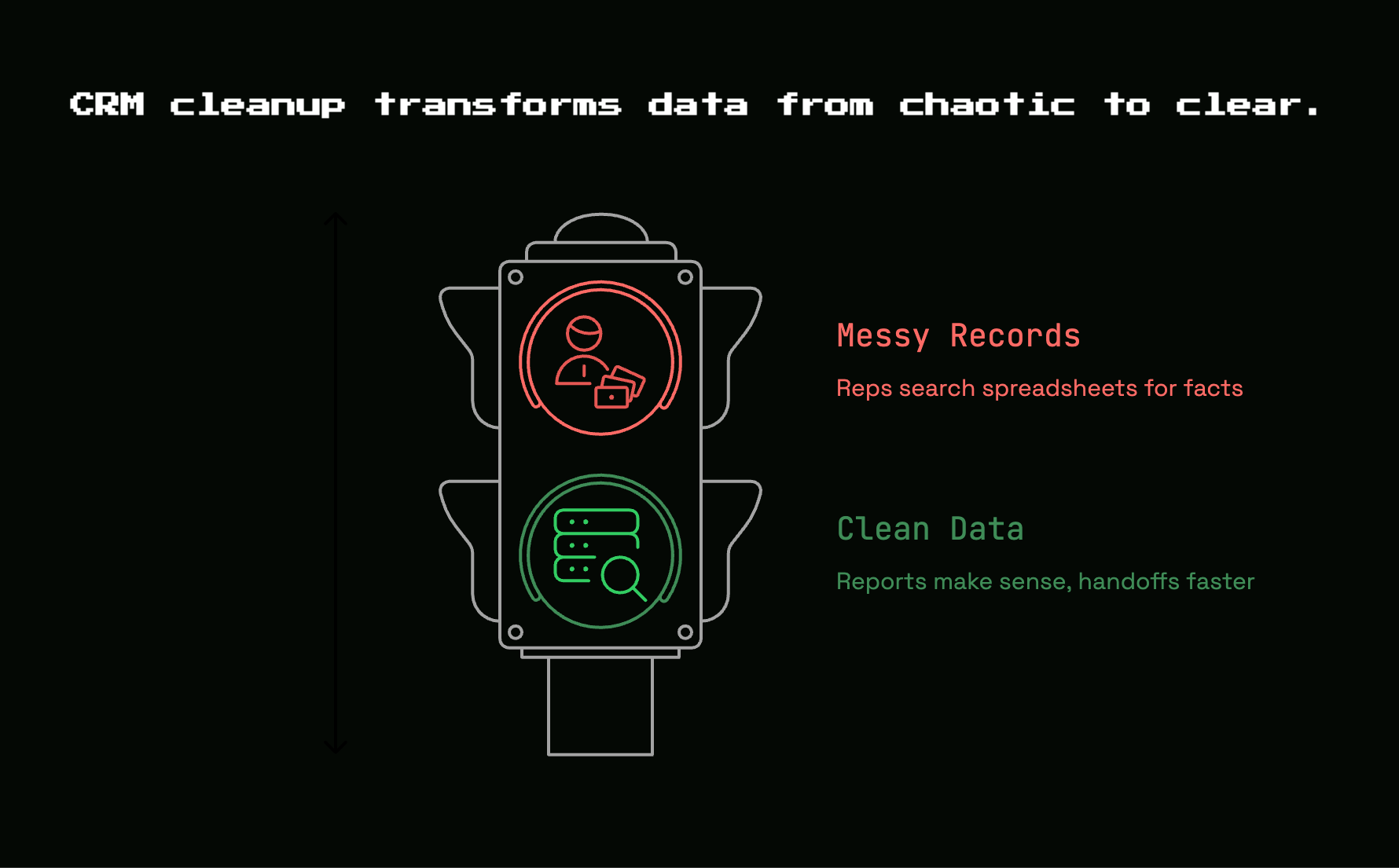
Reports make sense again. Handoffs get faster. Reps stop searching across tabs and old spreadsheets for facts that should have been in the account record all along. Forecast conversations get shorter because the numbers are less arguable.
That outcome matters because clean data compounds. Better routing leads to faster follow-up. Better stage discipline leads to cleaner pipeline. Better structure makes automation safer. And if you are using AI inside your GTM stack, clean data gives it a chance to be useful instead of confidently wrong.
Your next move: start with one high-friction view today
Pick one view that annoys you every week and clean that first. Open deals with no next step. Active accounts with duplicates. New leads missing owners. Any of those are a strong place to start.
Do that one pass today. Not the whole CRM, just the part that keeps slowing everybody down. Once that view feels clean, the rest of the project gets a lot less heavy.


Discussion