

CRM automation sounds bigger and scarier than it is. For most B2B SaaS teams, CRM automation is simply the set of rules and triggers that keeps leads moving, follow-ups happening, and customer details from getting lost between your inbox, your calendar, and your CRM. This guide shows where it helps, what to automate first, how to avoid the usual mess, and how to make it useful before your team gets any bigger.
Early on, CRM automation is not about building a futuristic revenue machine. It is about making sure a demo request from 2:17 p.m. does not sit untouched until the next morning, that a deal does not reach proposal stage with no next meeting booked, and that a new customer does not have to repeat the same context three times after signing.
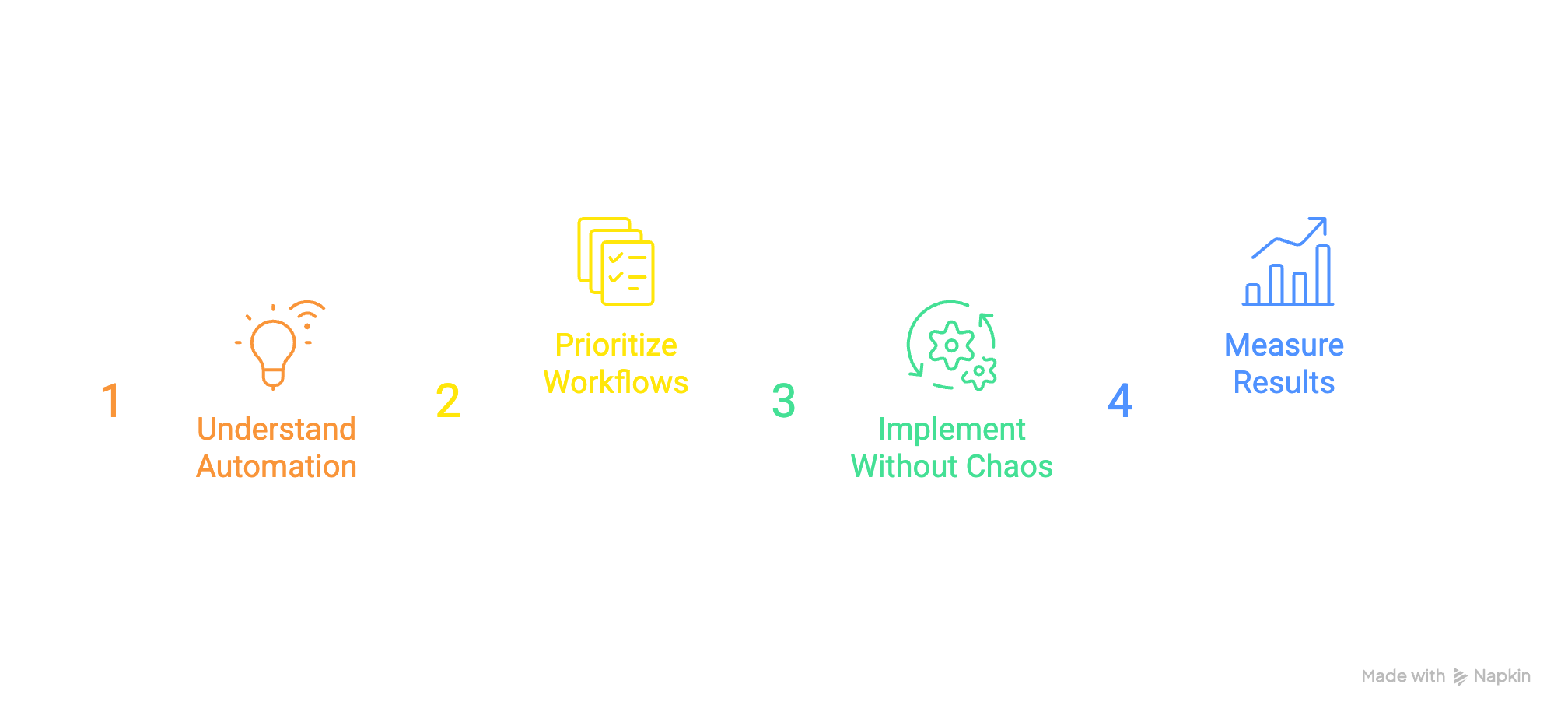
Here’s what you’ll learn:
- What CRM automation means in plain English
- Which workflows to automate first
- How small SaaS teams usually use it
- How to set it up without chaos
- Mistakes that break trust in the system
- Real workflows you can copy
- How to pick tools for your stage
- How to measure if it is working
- A simple 30-day rollout plan
What CRM Automation Actually Means in a B2B SaaS Team
CRM automation is the use of rules, triggers, and connected tools to handle repeatable sales and customer data tasks automatically. Instead of updating records by hand, assigning leads manually, or reminding somebody to follow up from memory, your system does that work when certain conditions are met.
In a B2B SaaS team, that usually shows up in ordinary places. A demo form creates a contact and company record. A new lead gets assigned based on segment or owner rules. A deal entering proposal stage creates a reminder to send pricing. A closed-won account triggers onboarding tasks and a handoff note. Nothing magical. Just less manual chasing.
The simple version: less copy-paste, fewer dropped balls
The easiest way to think about CRM automation is this: every repetitive action in your revenue process is a candidate for a rule.
If somebody copies form data into the CRM every day, that can be automated. If a deal should always have a next step after a call, that can be enforced. If a prospect should get a confirmation email after booking a demo, that can happen without anybody touching a keyboard.
That matters because early-stage teams run on memory far more than anybody likes to admit. A lot of work happens in tabs, inboxes, and half-finished Slack threads. CRM automation pulls some of that invisible work into a system so fewer things slip through.
CRM automation vs. CRM vs. marketing automation
A CRM is the system where customer and pipeline data lives. Think contacts, companies, deals, activities, notes, stages, owners.
CRM automation is the logic inside or around that system. If a contact fills out a form, create a record. If a deal is stale for 10 days, alert the owner. If a customer signs, create onboarding tasks.
Marketing automation is a separate category. That usually handles email nurturing, audience segmentation, campaign flows, and behavior-based marketing messages at scale. There can be overlap, but the day-to-day purpose is different. CRM automation keeps your sales and customer process moving. Marketing automation keeps your outbound and nurture engine running.
Why CRM Automation Matters So Much When Your Team Is Still Small
The smaller your team, the more expensive every dropped ball becomes.
At $1M to $5M ARR, your GTM motion is rarely clean. You are still hiring into roles that were probably stitched together by necessity. Founders still jump into deals. A first AE or GTM generalist is doing a little of everything. Customer success may also be handling onboarding. In that setup, manual process breaks fast.
CRM automation matters because it acts like a force multiplier. That is not hype. A lean team with a few good workflows can behave much more consistently than a larger team held together by memory and good intentions.
The founder bottleneck it helps fix
A common pattern shows up in almost every early SaaS sales motion. Leads land in an inbox. Notes stay in somebody’s head. Ownership is fuzzy. By Friday afternoon, the CRM is technically there, but not really telling the truth.
The ugly moment usually happens late. You open the pipeline at 6:40 p.m., notice half the active deals have no next step, three demo requests never got assigned, and one closed-won account still has no onboarding owner. None of that happened because anybody was lazy. It happened because the process depended on people remembering everything while doing ten other jobs.
CRM automation helps by removing those memory tests. Not all of them, but enough to lower the chaos.
What you get when it’s set up well
When CRM automation is working, response times get faster because inbound leads are routed instantly. Data gets cleaner because fields are filled the same way every time. Forecasting improves because deals stop sitting in fantasy stages for weeks. Handoffs get smoother because information travels with the account instead of living in somebody’s notebook.
You also get something less obvious but just as valuable: less pipeline babysitting. Instead of chasing updates, you spend more time reacting to actual signals. Which deals are stalled? Which leads need attention? Which customers are entering renewal windows? The system starts surfacing work instead of asking for constant maintenance.
What You Should Automate First
The temptation is to automate everything at once. Don’t.
The highest-return CRM automation usually lives in the simple, boring workflows your team repeats every day. Start there. If a workflow happens often, breaks often, and matters to revenue, it belongs near the top of the list.
Lead capture and routing
This is usually the best first automation because the payoff is immediate. A form submission should create the right records, attach the lead source, match to an existing company when possible, assign an owner, and alert somebody right away.
For bootstrapped teams, the main goal is simple: no inbound lead sits untouched. That can mean routing by territory, company size, product line, or just round-robin assignment. Even a basic alert to email or Slack is a big improvement over “somebody will notice it.”
Follow-up sequences and task creation
After a form fill, a meeting, or a stalled deal, your CRM can create the next task automatically. That sounds small, but it changes behavior. People are far more likely to follow through when the next action is already sitting in front of them.
Keep this practical. The point is not to dump prospects into robotic spam sequences. The point is consistency. If every discovery call should lead to a follow-up task within one business day, automate that. If every no-show should trigger a reschedule email and reminder, automate that too.
Pipeline stage updates and next-step tracking
Stages get messy because humans are optimistic. Deals linger in demo completed or proposal sent long after momentum disappeared. That is how pipelines get inflated.
A few automations can help keep the pipeline honest. You can require a next-step field before a deal moves forward. You can flag deals with no activity in seven days. You can update close dates based on stage rules, or at least alert owners when close dates are in the past. Nothing fancy, just enough structure to stop quiet decay.
Customer handoffs from sales to onboarding or success
Post-close automation is where a lot of customer experience gets won or lost. Once a deal is marked closed-won, your CRM can create onboarding tasks, notify the right owner, copy contract terms into the customer record, and send a welcome email.
The real benefit is context transfer. New customers should not have to explain goals, timing, integrations, and pricing terms all over again. A clean handoff workflow fixes that.
The Core CRM Automation Workflows Most SaaS Teams End Up Using
As your process matures, the workflows usually cluster into a few predictable categories. Seeing the full map helps because you can build in the right order instead of adding random one-off automations every time something breaks.
Contact and company data capture
Most teams start by automating record creation from forms, meeting schedulers, email sync, calendar sync, and CSV imports. This is the plumbing. It is not exciting, but it matters.
Two details deserve extra attention: duplicate prevention and field mapping. Duplicate prevention means your CRM tries not to create three versions of the same person or account. Field mapping means the data from forms or other tools lands in the right CRM fields. If those basics are sloppy, every later workflow gets shakier.
Lead scoring and qualification
Lead scoring sounds fancy, but the simple version works fine. You assign points or labels based on fit and behavior. A VP at a 100-person SaaS company who requested a demo gets a higher priority than a student who downloaded a checklist.
You do not need a giant scoring model. A few rules can tell your team what deserves fast action. That is enough early on. The goal is not mathematical perfection. The goal is better prioritization.
Deal management automation
This category covers stage-based triggers, reminders, nudges around proposals, renewal tracking, and loss-reason capture. In plain terms, it keeps opportunities moving and forces useful information into the record while the deal is still active.
That matters even more once you hire your first rep. Without structure, your CRM turns into a polite fiction. With a few well-placed automations, it becomes an operating tool instead of a historical archive.
Activity logging and note collection
If your tools support it, emails, calls, meetings, and tasks should log automatically. Manual logging dies the moment the calendar gets busy.
Visibility is the big win here. Once another seller joins, you need to see what is happening in accounts without hovering over every conversation. Automatic activity logging gives that visibility while leaving people alone to do the job.
Reporting and internal alerts
Automation can send scheduled pipeline snapshots, weekly forecast summaries, stale-deal alerts, or notifications when a high-value lead comes in. This is where your CRM starts acting less like a database and more like an operating system.
The point is early warning. A stalled deal caught on Tuesday is fixable. A quarter full of hidden slippage discovered on the last day is just pain.
How to Set Up CRM Automation Without Making a Mess
The trick is not adding more automation. The trick is adding the right logic in the right order.
A messy CRM with a pile of workflows is like adding smart lights to a house with bad wiring. You get more switches, not more reliability.
Start with one painful process, not a blank canvas
Pick a specific bottleneck. Demo requests not getting followed up. Closed-won deals handed off badly. Deals reaching late stages with no next step. Start there.
A narrow scope gives you a real success test. If the workflow fixes one painful issue, your team trusts the system more. If you start with a blank canvas and try to model your entire revenue engine in one sprint, adoption usually dies under its own weight.
Clean up fields, stages, and ownership first
Before building workflows, tighten the inputs. Standardize lifecycle stages, deal stages, record owners, required fields, and naming conventions. Decide what counts as a qualified lead. Decide when a deal enters each stage. Decide who owns what after handoff.
Messy inputs create messy automation. If one rep uses “Proposal Sent,” another uses “Proposal,” and a third skips the stage entirely, no workflow can save that cleanly.
Use simple if-this-then-that logic
Keep the logic boring on purpose. If a demo request comes from the pricing page, assign it to sales. If a deal is moved to closed-won, create onboarding tasks. If no next step exists after a completed meeting, create a reminder.
Simple workflows are easier to test, easier to maintain, and easier to trust. Giant branching trees feel impressive right up until nobody remembers why they exist.
Test with edge cases before going live
Always test weird cases. Duplicates. Missing fields. Reassigned owners. Reopened deals. Leads that do not match routing logic. Existing customers filling out a demo form again.
One strange edge case can spray bad data across your CRM in minutes. So test like somebody is about to click the wrong thing, because eventually somebody will.
Common CRM Automation Mistakes and How to Fix Them
Automation does fail, but usually for ordinary reasons. Not because the concept is flawed. Because the setup was rushed, ownership was unclear, or the process underneath it was already messy.
The good news is that these problems are fixable.
Automating bad process
If your manual process is vague, automation just makes the vagueness happen faster. For example, if nobody agrees on when a lead becomes sales-qualified, routing and follow-up rules will fire inconsistently and cause arguments.
Fix the process in plain language first. What triggers the handoff? What fields are required? Who owns the next action? Then automate that.
Too many workflows doing the same job
This is how a CRM starts feeling haunted. A field changes twice. Alerts fire in duplicate. A deal gets reassigned for no obvious reason. Usually the cause is overlapping workflows built at different times for similar problems.
Audit regularly. Name workflows clearly. Retire old ones instead of layering new logic on top forever. Fewer workflows, each with a clear job, beats a maze.
Forcing reps to fight the system
If automation creates more clicks, more pop-ups, and more pointless required fields, people will work around it. That is not a discipline problem. It is a design problem.
Good CRM automation lowers friction. It should remove admin, not invent fresh admin in automated form. Ask one basic question of every workflow: does this save time or just shift time?
Ignoring data quality
Bad data breaks everything downstream. Duplicate contacts distort reporting. Missing owners break routing. Inconsistent stage usage makes forecasts useless. Weak enrichment clutters records with junk.
A few fixes go a long way: validation rules for key fields, duplicate management, required next-step fields, and a scheduled cleanup habit. Not glamorous, but honestly, this is the part that keeps the rest alive.
CRM Automation Examples You Can Steal
Examples make this easier because the value shows up in the sequence, not in the label on the workflow.
Inbound demo request workflow
A prospect fills out your demo form. The CRM creates a contact if none exists, checks for an existing company record, attaches the lead source, and routes the lead based on company size or segment. The assigned owner gets an instant alert. The prospect gets a confirmation email. If no outreach is logged within your SLA, say two business hours, the CRM creates a follow-up task or sends an internal reminder.
That entire flow can run in the background. No spreadsheet, no forwarded email, no “did anybody grab this?”
Post-discovery deal workflow
A discovery call gets marked complete. That triggers a task to send recap notes, checks whether qualification fields are filled, and creates a reminder to book the next meeting if none is scheduled within a set window.
If you use a framework like MEDDICC, this is where the CRM can gently force completion of the missing fields without turning the whole process into homework. The point is to keep momentum after the call, when deals often drift.
Closed-won onboarding handoff
A deal moves to closed-won. The CRM creates an onboarding ticket or project, notifies the onboarding owner, copies contract value, term dates, and implementation notes into the customer record, and sends a welcome message.
This workflow matters because customers feel the transition immediately. A smooth handoff feels professional. A clumsy one feels like buying from one company and onboarding with another.
Renewal and expansion reminders
Months after the original close, memory gets unreliable. Automation helps by flagging renewal windows, usage milestones, champion changes, or product activity that signals expansion potential.
That way renewals and upsells are not dependent on somebody remembering a date from six months ago or noticing a random usage spike in passing.
How to Choose the Right CRM Automation Tool for Your Stage
Tool choice matters, but not in the way software websites usually claim. The best platform for your stage is the one your team will actually maintain without turning CRM admin into a part-time job.
Must-have features for a lean team
For an early scaling SaaS team, the immediate must-haves are straightforward: a workflow builder that non-technical people can edit, lead routing, email and calendar sync, task automation, reporting, useful integrations, permissions, and decent usability.
Usability matters more than people admit. If a first sales hire cannot understand how workflows work, every small change becomes a founder problem again.
Nice-to-have features you can wait on
You can usually wait on advanced AI suggestions, deep revenue intelligence, highly complex approval chains, and extreme customization. Those features sound impressive in demos, but most early teams do not need them yet.
Buying for your imaginary future org chart is a classic mistake. Buy for the team you have, plus the next layer of complexity you can already see coming.
Questions to ask before you commit
Before choosing a tool, pressure-test maintenance. How hard is it to edit a workflow after it is live? Can a sales manager or ops-minded generalist maintain it without outside help? What happens when ownership changes? How well does the platform handle duplicates? How quickly do costs rise as users, records, and workflow volume grow?
Those questions matter more than a huge feature grid.
CRM Automation Tools: What to Look For in Popular Options
Most options in this category fall into a few types. The right fit depends less on brand reputation and more on how much complexity your process truly has.
Best fit for speed and simplicity
Some CRMs are built to get basic workflows live fast. You get forms, simple routing, task creation, reminders, email sync, and pipeline visibility without a long setup project.
That kind of tool is a good fit when your main problems are missed follow-up and messy visibility, not complicated approvals or multi-team orchestration. For many founder-led sales teams, simple beats powerful for quite a while.
Best fit for customization and deeper process control
Other platforms make more sense once your process has branching logic, stricter permissions, layered handoffs, or a need to coordinate across sales, success, and operations in a more controlled way.
The tradeoff is predictable. More power usually means more setup, more maintenance, and more chances to build something nobody else understands six months later.
When to add integration tools or no-code automation layers
Native CRM workflows are often enough at first. But once product usage data, billing events, support tickets, and customer health signals all need to feed CRM actions, no-code connectors start earning their keep.
That is when Zapier-style tools become useful. Not because your CRM failed, but because your process now crosses too many systems to manage comfortably in one place.
How to Measure Whether Your CRM Automation Is Working
Do not measure success by how many workflows exist. Measure whether work got easier, faster, and more reliable.
A handful of operating metrics is enough.
Time saved and admin reduced
Look for fewer manual updates, faster lead assignment, fewer overdue follow-up tasks, and less time spent cleaning records. If your team still spends Friday fixing the CRM, automation has not actually solved much.
Time saved is not always dramatic in one moment. Often it shows up as fewer tiny interruptions all week, which is just as valuable.
Speed and consistency in the funnel
Track lead response time, meeting booking rate, follow-up completion, stage conversion, and the percentage of deals with a logged next step.
Those numbers tell you whether automation is improving execution, not just generating more activity. More reminders do not matter if the funnel still behaves inconsistently.
Pipeline quality and forecast confidence
Watch stale-deal rates, stage aging, data completeness, and how often close dates get pushed. If those improve, your CRM automation is doing real operating work.
The best sign is simple: your pipeline starts reflecting reality more often. Forecast conversations get shorter, cleaner, and less emotional.
A Practical 30-Day CRM Automation Rollout Plan
You do not need a quarter-long transformation project. A month is enough to make meaningful progress if you keep the scope tight.
Week 1: audit the messy parts
Review lead sources, stage definitions, owners, duplicate issues, missed handoffs, and the top repetitive tasks draining time each week. Find the process that breaks most often and costs the most momentum.
Do not overanalyze. The painful stuff is usually obvious.
Week 2: build one high-impact workflow
Launch one workflow with a clear owner and one success metric. Inbound lead routing is a strong first choice. Post-demo follow-up is another.
The key is picking something frequent, visible, and easy to judge. If it works, people notice fast.
Week 3: test, tune, and document
Run through edge cases, fix naming, clean up exceptions, and write a short internal note explaining what now happens automatically and what still needs a human touch.
That documentation does not need to be fancy. A clear page in Notion is enough. The value is making the system legible.
Week 4: add one more workflow and review results
Once the first workflow is stable, add the next logical one. Then review what changed. Did response times improve? Are fewer deals missing next steps? Did handoffs get cleaner?
Start with the follow-up or handoff that gets missed most often. Fix that one first, and CRM automation stops feeling like software plumbing and starts feeling like relief.


Discussion