

CRM enrichment tools look great at first because they solve an obvious headache fast. Then, somewhere between the missing job titles, stale emails, duplicate accounts, and mystery custom fields added at 4:47 p.m. on a Friday, your CRM turns into a junk drawer. The tool that helps most is not the one with the biggest database. It is the one that keeps your pipeline usable inside the way your team already works.
Why CRM Enrichment Feels Useful Fast, Then Gets Messy
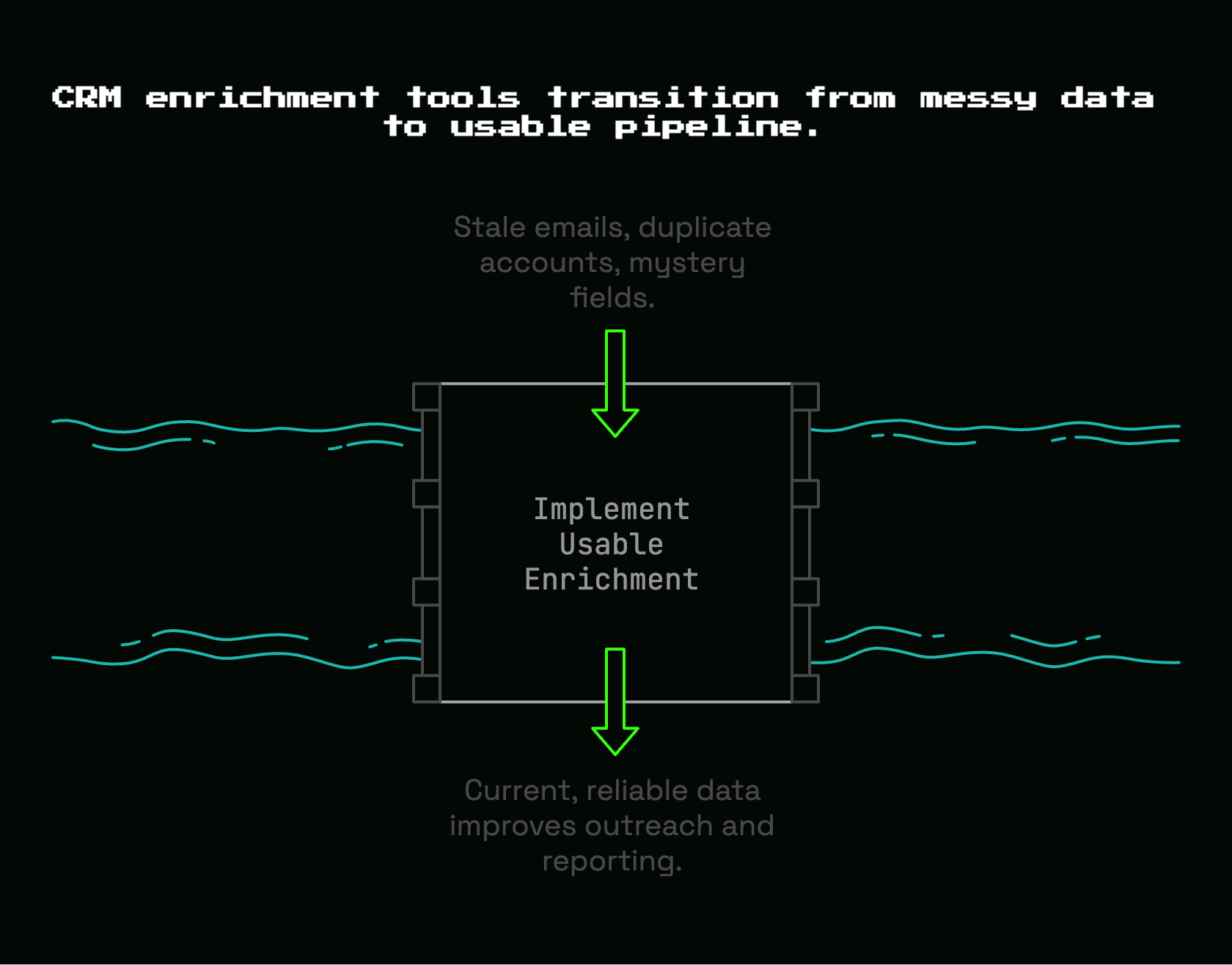
At the start, enrichment feels almost magical. A bare company record gets a headcount range, industry, website, and headquarters. A contact record picks up a title and work email. Routing gets easier. Outreach gets more personal. Reporting starts to look less embarrassing.
But the catch is that enrichment does not happen in a vacuum. It lands on top of your existing CRM structure, your field naming, your dedupe rules, your workflows, and your team habits. If that foundation is messy, enrichment can make the mess look more polished without actually fixing it.
That is why so many early-stage SaaS teams buy an enrichment tool, feel excited for two weeks, and then slowly stop trusting the data. One rep sees three versions of the same account. Another notices titles are wrong for people who changed jobs months ago. Marketing routes leads using firmographic data that has not been refreshed since last quarter. Suddenly nobody knows which fields are safe to use.
Here’s the thing: the best CRM enrichment tool is not the one with the broadest slide deck. It is the one that improves the records your team touches every day, keeps those records current, and fits into your actual workflow without adding weekly cleanup work.
That sounds less exciting than “200 million contacts” or “AI-powered revenue intelligence.” It is also the part that matters.
What CRM Enrichment Tools Actually Do
In plain English, CRM enrichment tools take incomplete records and make them more useful. They add missing company and contact details, refresh outdated information, and help your CRM become something better than a list of names and logos.
Usually that means pulling outside data into your CRM. A record with only “Acme” and “[email protected]” becomes a fuller profile with company size, industry, location, title, seniority, department, maybe a direct dial, and sometimes things like technologies used or buying signals. Good enrichment helps sales personalize outreach, helps marketing segment better, and helps ops stop routing leads with half the required context missing.
The category is growing quickly because the problem is painfully common. One market estimate puts the space at $6.946 billion in 2024 and rising steadily, which makes sense if you have ever stared at a CRM full of records that technically exist but are not useful enough to act on.
Still, “enrichment” gets used as a catch-all term for a few different jobs. That confusion leads to bad buying decisions.
Enrichment vs. Cleansing vs. Verification
Enrichment adds missing context. Cleansing fixes broken structure. Verification checks whether a piece of data is still valid.
Those sound similar, but they solve different problems.
If a contact record says “VP Sales,” enrichment might add seniority, department, LinkedIn URL, work phone, and company size. If that same record appears twice with slightly different spellings, cleansing handles the duplicate. If the email address still exists and can receive mail, verification checks that part.
Put another way: cleansing fixes the house, verification checks whether the lights still work, enrichment adds the furniture.
Early-stage B2B SaaS teams usually need all three, even if the first purchase is only one tool. That is because a half-broken CRM cannot absorb enrichment cleanly. If account names are inconsistent, if fields are mapped badly, or if duplicates are already multiplying, new data just gets sprayed into the wrong places. Even sources that explain the category plainly make the same point: cleansing first keeps enrichment from amplifying bad records.
Verification matters more than most teams expect. Contact data decays quickly. People change roles, companies merge, numbers die, inboxes stop working. If your tool enriches aggressively but does not verify enough, your CRM looks fuller while outreach performance quietly gets worse.
The Data Types That Usually Matter Most
Most enrichment vendors talk about data in categories. That part is actually useful, because it helps you separate “helpful now” from “interesting later.”
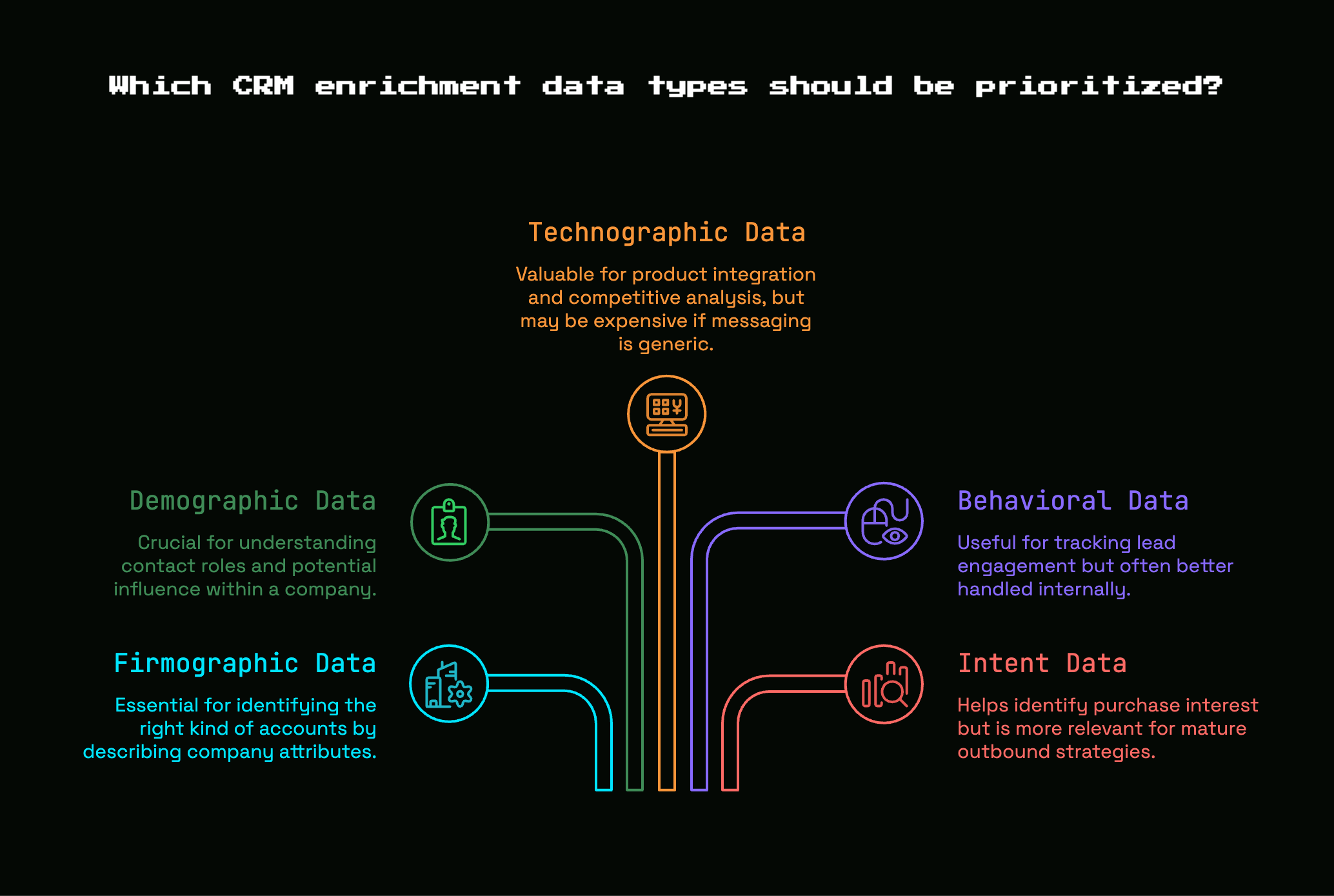
Firmographic data describes the company: industry, employee count, revenue band, headquarters, ownership type, funding stage. For an early sales hire, this is often the first layer that matters because it helps answer a simple question: is this even the right kind of account?
Demographic data, in B2B terms, usually means contact-level attributes like title, department, seniority, function, and location. This is what helps your rep know whether the contact is likely a user, champion, budget owner, or none of the above.
Technographic data tells you what tools the company uses. That can be powerful if your product wins in specific stacks, integrates with certain platforms, or replaces something obvious. But if your messaging is still generic, technographics can become expensive trivia.
Behavioral data reflects what a lead or account has done: visited pricing pages, opened emails, attended a webinar, used a free trial, engaged with content. Useful, yes, but often better handled partly from your own systems rather than bought from an enrichment vendor alone.
Intent data tries to show purchase interest from outside signals, like research activity on relevant topics. This can help later, especially once outbound volume grows and scoring gets more mature. For a team hiring a first rep, though, intent data is rarely the first thing to buy. Clean contact and account basics matter more.
A simple rule works well here: buy the data that changes action. If a field will change routing, prioritization, personalization, or qualification, it has value. If it only makes the record feel more complete, it probably belongs later.
The Buying Criteria That Actually Matter
Vendors love to compete on record counts, flashy UI, and giant feature grids. Those things are easy to demo. They are not what determines whether your CRM gets better.
What matters in practice is freshness, accuracy, coverage in your actual market, workflow fit, compliance, and the day-to-day maintainability of the whole setup. Get these right, and the tool earns a place in your stack. Get them wrong, and you end up paying for expensive confusion.
Data Freshness Beats Huge Databases
Freshness matters more than volume. Full stop.
A giant database sounds comforting, but stale data ruins outreach one contact at a time. Titles drift. People leave. Companies raise a round and double headcount. Acquisitions change ownership. Teams switch software. If your rep is reaching out using last year’s details, the database size does not save you.
This is not a minor issue. Business contact data decays fast. Research cited across the category shows that contact records should be treated as fresh for no more than 90 days, and annual decay rates are ugly enough to make one-time enrichment feel pointless.
That is why refresh cadence matters so much. Some tools update in real time on form fills or triggered workflows. Some run scheduled refreshes weekly, monthly, or quarterly. Some mostly behave like lookup databases and leave the rest to you. For most B2B SaaS teams, quarterly refreshes should be the minimum hygiene standard, and contact-heavy workflows usually benefit from much more frequent updates.
A vendor that says “we have 300 million contacts” but cannot explain refresh logic clearly is selling theater.
Accuracy and Match Rates Inside Your CRM
Bad enrichment is worse than missing enrichment.
Missing data creates uncertainty, which is annoying but visible. Wrong data creates false confidence, which is far more dangerous. A rep personalizes to the wrong title. Routing sends a startup account to the enterprise owner. Scoring treats a dormant email as valid. Forecasting starts using polluted segments.
That is why match rate and field-level accuracy matter more than brand reputation. Some providers are strong at finding contacts but weaker at exact account matching. Some append a lot of fields but with uneven quality. Some do well with company data and struggle with direct dials. You need to know where accuracy is strong and where it drops off.
Vendor claims here tend to be slippery. “High accuracy” means nothing unless it is tested on your records. Use a sample from your CRM, not a vendor-curated list. See how often the tool correctly matches the right company, the right contact, and the right field values. Reliability guidance in the space increasingly centers on match rate for a reason.
If the tool fills 20 new fields but six are wrong, your team will stop trusting all 20.
Coverage for Your Market, Not the Whole Internet
A vendor can be impressive overall and still weak for your market.
Coverage needs to be judged through your ICP, not through a generic top-line number. If you sell to seed through Series B SaaS companies in the U.S. and Canada, a tool that dominates Fortune 1000 records will not automatically help you. If your buyers are in regulated industries, a consumerized SMB-heavy provider may fall short on account hierarchy and firmographic nuance.
Look closely at geography, company size, industry depth, and role coverage. Some tools are especially good in North America. Some are better in Europe. Some are strong with SMB founder and operator contacts. Others are built for larger buying committees and procurement-heavy sales motions.
Even within a major CRM ecosystem, the distribution is broader than many teams assume. One Salesforce-related dataset found that 31.38% of detected companies had just 1 to 10 employees. That matters because small-company coverage is not a side issue. It is the whole job for plenty of SaaS teams.
The right question is simple: how well does this tool cover accounts like yours, not how well does it cover “the market.”
Native Integrations and Workflow Fit
If your team has to export CSVs every Friday, the tool will not stick.
Workflow fit is where good buying decisions either survive reality or collapse. Your enrichment tool has to meet your team where work already happens: inside the CRM, inside form flows, inside lead routing, inside outbound sequencing, and sometimes inside your warehouse or reverse ETL setup.
For a lean team, native Salesforce or HubSpot integrations often matter more than extra data depth. A tool that updates records automatically, respects field mappings, and syncs reliably is usually worth more than a more powerful platform that requires manual ops babysitting. If your inbound leads need to route instantly, real-time enrichment becomes part of your speed-to-lead motion, not just a data project. Some tools even enrich new leads immediately so records arrive ready for routing and follow-up instead of landing half empty.
As stacks get more mature, workflow fit expands. Maybe you want enrichment data in lead scoring, account assignment, sales engagement tools, product-led onboarding, or warehouse models. At that point, API depth and sync behavior matter more. The broader market is moving toward real-time processing and API-based connectivity because static batch jobs no longer keep up with live GTM workflows.
A simple test helps: picture the exact moment new data should appear. If you cannot map that clearly from trigger to CRM to downstream action, the integration is not ready.
Compliance, Consent, and Governance
Compliance sounds like a “later” problem until it becomes an immediate one.
Even a small SaaS team needs to know where enrichment data came from, what basis the vendor has for collecting it, how suppression is handled, and what controls exist around edits, audit history, and exports. This is not only about legal risk. It is also about operational trust.
If a rep asks, “Where did this phone number come from?” there should be an answer. If marketing needs to suppress certain contacts or regions, the system should respect that cleanly. If ops wants to know what changed on a record and when, there should be a trail.
This has become a standard buying criterion across the category. Privacy-focused selection is not optional anymore, especially as vendors mix AI, third-party data, and automation. Market research consistently points to GDPR and CCPA readiness as a core factor in tool choice.
Governance does not need to be heavy to be real. For an early-stage team, “real” usually means clear data lineage, admin permissions, suppression handling, and enough transparency that you can explain your setup without hand-waving.
Ease of Setup and Ongoing Maintenance
The demo is the easy part.
The hard part is field mapping, deciding overwrite rules, handling duplicates, standardizing values, setting refresh logic, QAing outputs, and getting reps to actually use the enriched fields. That hidden work is where cheap tools become expensive and expensive tools become abandoned.
A good enrichment tool reduces setup friction instead of multiplying it. Some tools are much better at direct write-back, cleaner defaults, and flexible mapping. Others assume a more ops-heavy team and make you build the logic yourself.
Maintenance also matters. Who reviews fill rates? Who checks for weird title parsing? Who decides whether “employee range” should overwrite a manually updated exact headcount? Who audits stale contacts every quarter? If the answer is “nobody,” your implementation has already started drifting.
For small teams, simplicity is an unfair advantage. A tool that does 80 percent of what you need with low maintenance often beats a more configurable platform that never quite gets finished.
Which Data Fields Are Worth Paying For
The fastest way to overbuy is to pay for a giant attribute catalog and then use six fields.
Vendors love field counts because they look objective. But field counts are like owning a 48-piece screwdriver set when you keep reaching for the same Phillips head. What matters is operational value: which attributes actually improve outreach, targeting, routing, or reporting.
Contact Data That Improves Outreach
Contact data earns its keep when it changes how your team reaches out or who gets prioritized.
Work email is still the baseline. Without it, a lot of outbound workflows stop immediately. Job title matters because it shapes messaging and helps filter out poor-fit contacts. Seniority and department matter because they improve routing and help your rep understand whether the person is likely to care about efficiency, budget, implementation, or day-to-day usage.
Location can matter more than it seems. It helps with territory assignment, time-zone-aware outreach, regional compliance handling, and simple personalization that does not feel creepy. Phone data can be valuable too, especially for outbound-heavy teams, but only if the quality is high enough to trust. A wrong direct dial wastes more time than no phone number at all.
Fields that often look good but have weaker day-to-day value include generic social links, vanity profile data, and over-detailed contact traits that never drive messaging or routing. If your rep is not going to use the field in the first seven days, it probably should not lead the buying conversation.
Account Data That Improves Targeting
Account-level enrichment shapes your ICP in practice.
Company size is one of the highest-value fields because it affects pricing fit, likely buying committee size, sales cycle length, and territory logic. Revenue band can help too, though it is often less reliable for smaller private companies. Industry is useful when your messaging or use cases differ by vertical, which is common in SaaS. Headquarters and country matter for territory and legal reasons, but also because certain markets behave differently in buying process and channel mix.
Hiring signals, funding stage, and ownership type can be genuinely useful if your product value lines up with those moments. A company hiring aggressively in support, sales, or engineering might be a better fit depending on what you sell. Funding stage helps if fast-growing startups are your sweet spot. Ownership type can matter when private equity, public-market reporting, or founder-led buying patterns change the deal.
The point is not to collect every field. It is to sharpen filtering and prioritization. Good account data helps you stop chasing accounts that look large in logo terms but are tiny where it matters, or vice versa.
Technographic and Intent Data: Useful, but Only If You’ll Use It
Technographic data tells you what software a company uses. Intent data tries to show what topics or categories an account is actively researching. Both can be useful. Both are easy to overrate.
Technographics are most valuable when your motion depends on stack fit. If your product integrates tightly with Salesforce, HubSpot, Stripe, Snowflake, or Slack, knowing what is already installed can guide messaging and prioritization. One tech-stack dataset, for example, highlighted strong co-adoption patterns like 64.39% using Slack in a Salesforce company sample. Signals like that can help when your product fits specific environments.
Intent data can help surface warmer accounts, especially once you have enough outbound volume to act on it. But here’s the trick: intent only pays off when someone actually changes behavior because of it. If your reps are not adjusting talk tracks, if scoring does not use the signal, or if your routing ignores it, intent is just an expensive dashboard.
For most early-stage SaaS teams, technographic and intent data belong after the basics are working well. Useful later. Not first.
Real-Time Enrichment vs. Batch Enrichment
This choice feels technical, but it is really about timing.
Real-time enrichment updates records when something happens: a form fill, a new lead creation, an account entering a workflow, a rep capturing a contact. Batch enrichment updates records on a schedule: nightly, weekly, monthly, or quarterly.
Both have a place. The right choice depends on where stale data actually hurts you.
When Real-Time Enrichment Pays Off
Real-time enrichment is most valuable when speed changes outcomes.
If an inbound lead comes in and your team needs to route it immediately based on company size, region, or product fit, waiting for a batch job is pointless. If your first sales hire is working fast inbound follow-up, every missing field becomes friction. Real-time enrichment can also support form shortening by inferring company details from email domain or other signals, which can improve conversion while still giving your team enough context to qualify.
This shift is bigger than vendor marketing. Category research shows 75% of organizations plan to adopt real-time enrichment, largely because batch-only workflows cannot support modern routing, personalization, and automation well enough.
Real-time enrichment also helps with operational confidence. Instead of hoping last month’s data is still right, your workflows pull in fresher context at the moment it matters.
When Batch Refreshes Are Still Fine
Batch enrichment is still perfectly reasonable for a lot of jobs.
If you mostly need quarterly cleanup, periodic account reviews, territory planning, or enrichment of older lists, a scheduled refresh is often enough. Not every workflow needs immediate updates. Buying a real-time platform for a CRM that only gets touched deeply once a week is like installing a restaurant-grade dishwasher in a studio apartment.
Batch jobs also make sense when your team is still building process. If routing is simple, inbound volume is low, and your rep mainly needs better account basics rather than split-second automation, scheduled enrichment can solve the real problem without extra complexity.
The mistake is assuming batch is “old” and real-time is “modern.” What matters is operational fit. If a delayed update does not hurt decisions, batch is fine. If delayed context causes missed SLAs, bad routing, or clumsy outreach, real time earns the premium.
The Main Types of CRM Enrichment Tools
The market makes more sense once you stop thinking in vendor logos and start thinking in tool types. Most options fall into a few practical buckets, and each bucket fits a different stage and operating style.
All-in-One Sales Data Platforms
These platforms combine enrichment with prospecting, sequencing support, sometimes intent, sometimes dialing, sometimes workflow automation. The appeal is obvious: one vendor, broad coverage, lots of functionality, fewer separate subscriptions.
For outbound-heavy teams, this can be efficient. Contact lookup, enrichment, and list-building live in one place. Reps can move fast. Ops gets a more unified data layer.
The tradeoff is complexity and cost. All-in-one platforms can tempt you into buying way more than you are ready to use. You may end up paying for features built for larger SDR teams while mainly needing cleaner CRM basics. Coverage can be broad, but not always strongest in your niche. And once a platform becomes central to prospecting, enrichment, and workflow logic, switching gets harder.
Native CRM or Marketing Platform Enrichment
Native or tightly integrated enrichment tools are often the best fit for lean teams that value simplicity.
If your world already runs inside HubSpot or Salesforce, using an option that lives naturally in that environment can reduce setup pain, mapping headaches, and ongoing admin. Some native tools focus on enriching records right where your team works, and that can be a huge advantage when adoption matters more than feature breadth.
This route usually trades maximum data depth for ease. You may not get the broadest account universe or the most advanced waterfall logic. But if the tool is easy to trust and easy to launch, it can produce more actual value than a more ambitious platform that never fully lands.
Lightweight Point Solutions
Point solutions solve one problem well. Maybe that problem is verified work emails. Maybe it is contact lookup. Maybe it is simple firmographic append on inbound leads.
These tools often suit small GTM teams because they are fast to try, easier to budget, and less likely to require a mini RevOps project. If your immediate need is “give new contacts better emails and titles” or “fill in company size on inbound leads,” a lean tool can be the smart buy.
The tradeoff is obvious too. Point solutions do not usually become your full enrichment layer. You may outgrow them as routing, scoring, and governance needs get more serious.
API-First and Custom Enrichment Stacks
API-first tools and composable stacks make sense when you want control. Maybe you want to enrich in the warehouse, waterfall across multiple providers, write only certain fields back to the CRM, or trigger updates from custom logic.
This setup can be excellent for ops-led teams because it lets you shape the data flow around your systems instead of adapting your systems to one vendor’s opinion. It can also improve resilience if you want multiple providers rather than betting everything on one source.
The downside is effort. Implementation takes more work. Governance matters more. Testing matters more. Somebody has to own the logic. If you are hiring your first sales rep and still deciding how lead routing should work, this is probably too much machinery.
How to Choose Based on Your Team Stage
Stage changes the answer more than vendor rankings do.
A $2M ARR SaaS company hiring a first rep does not need the same enrichment setup as a $5M ARR company with a growing outbound engine and a part-time ops owner. Buying the “best” tool without context is how teams end up with enterprise software wrapped around a very small process.
If You’re Hiring Your First Sales Rep
Keep it simple. Your first rep needs clean basics, not a spaceship dashboard.
Prioritize contact and account data that improves qualification and outreach right away: work email, title, seniority, company size, industry, location, maybe verified phone if calling matters. Make sure new leads and new accounts land in the CRM with enough context to route and personalize without manual digging.
This is not the time to buy advanced intent packages, giant technographic catalogs, or a platform that needs weeks of configuration. Your real problem is usually CRM hygiene and speed. Fix that first. A clean list of the right accounts beats a bloated database full of questionable records every time.
If You Already Have a Small Outbound Motion
Once reps are working enough volume, data quality starts moving visible outcomes.
At this stage, refresh cadence matters more. So do better direct dials, stronger match rates, and fields that help reps personalize at scale without spending half the day researching accounts manually. Routing logic, sequence triggers, and lead scoring begin to benefit from deeper enrichment because enough records are flowing through the system for those improvements to compound.
This is also where technographics can start making sense, especially if your product integrates with specific platforms or wins in known environments. But only buy those signals if outreach or scoring will actually use them.
If RevOps Is Starting to Form
Once someone is formally or informally owning RevOps, enrichment becomes more strategic.
Now governance matters more. Field ownership matters more. Reporting consistency matters more. You may need enrichment to behave consistently across CRM, marketing automation, warehouse models, scoring, territory logic, and dashboards. That usually changes the vendor evaluation from “who has decent data” to “who fits the operating model best.”
This is often the stage where API options, stronger admin controls, audit history, and multi-system orchestration start earning attention. Not because complexity is fashionable, but because fragmented enrichment begins to create reporting drift and workflow breakage.
Budget: What You’re Really Paying For
The sticker price is only part of the cost.
With enrichment tools, budget usually leaks through credits, seats, overages, implementation time, cleanup work, and the quiet cost of rep distrust if the data is bad. A cheaper tool with cleaner setup can be cheaper twice. A pricey tool that demands lots of ops time can be expensive in ways the quote never shows.
Common Pricing Models
Seat-based pricing charges per user. This can work fine for small teams, but it gets awkward when only a few people actively use the interface while many workflows depend on the data behind the scenes.
Credit-based pricing charges per record, lookup, or enrichment action. This is common and can be fair, but it also creates surprises. A vendor demo may look affordable until auto-refresh, list uploads, and routing workflows start burning through credits much faster than expected.
Usage-based pricing usually follows API calls, synced records, or workflow volume. That can align well with value, especially in ops-led setups, but it requires more forecasting discipline.
Platform-tier pricing bundles features into plans. The base plan may include simple enrichment, while useful admin controls, real-time workflows, or certain integrations sit in higher tiers. That is where costs often jump unexpectedly.
Before signing anything, map the pricing model to your actual motion. How many new leads enter monthly? How many CRM records need refresh? How many users need access? How many automated workflows will fire? Pricing only makes sense in the context of volume and process.
When Paying More Actually Makes Sense
Paying more makes sense when the premium changes outcomes you care about.
If a more expensive tool has much better coverage in your ICP, stronger governance, cleaner native integrations, or enough automation to save real rep time, the spend can pay back quickly. Sales reps losing time to bad leads is not a soft problem. Research in the category estimates reps waste 27.3% of their time chasing invalid or outdated leads, which makes better data a productivity purchase, not just a hygiene purchase.
The same logic applies if your stack is getting more connected. Once enrichment drives routing, scoring, segmentation, and forecasting, low-grade data creates costs in several systems at once. At that point, better governance and reliability are worth paying for.
When a Cheaper Tool Is the Smarter Buy
Cheaper wins when your use case is narrow and your operating model is simple.
If you have one CRM, a narrow ICP, low monthly lead volume, and a team that mainly needs fresher contact details and better account basics, a lightweight tool can be the right choice. You do not need enterprise governance for a process that currently lives in one pipeline and one weekly review.
The trap is paying platform prices for future complexity that may never arrive. Buy for the next real stage, not for a hypothetical one.
Mistakes That Make Enrichment Tools Disappoint
Most disappointment with enrichment tools does not come from the concept. It comes from predictable buying and rollout mistakes.
Buying for Database Size Instead of CRM Fit
Huge record counts are seductive because they feel like safety. More data, more coverage, more upside.
But if the tool does not improve the records and workflows your team touches every day, those giant numbers are decoration. Coverage in your segment, sync quality, refresh logic, and field accuracy matter much more than total rows in a vendor database.
A smaller provider that fits your workflow well can easily outperform a giant platform your team barely uses.
Enriching Dirty Data Without Fixing the Foundation
If your CRM has duplicate accounts, inconsistent naming, broken validation rules, and unused fields everywhere, enrichment will not rescue it. It will just make the mess more expensive.
Fix the basics first: dedupe obvious duplicates, standardize key fields, define what belongs where, and lock down the most error-prone inputs. Then enrich on top of that cleaner structure. Otherwise you get multiple versions of the truth, and everyone starts trusting spreadsheets more than the CRM.
Paying for Fancy Data Nobody Uses
This happens constantly.
Teams buy intent signals, technographic depth, extra persona fields, and dozens of attributes because the platform demo makes all of it look useful. Then nobody updates scoring, nobody changes messaging, and reps keep working from title, company size, and recent activity anyway.
Fancy data is not bad. Unused data is bad. Pay for what your current workflows can actually activate.
Forgetting About Refresh Cadence
One-time enrichment fades faster than most teams expect.
People move jobs. Companies change size. Emails die. Titles shift. Contact data comes back stale like weeds in a driveway. If there is no refresh rule, your “cleaned up” CRM quietly starts rotting again.
A practical standard is simple: treat contact data as needing a 90-day freshness mindset, and review refresh performance at least quarterly. If the data powers daily outreach, review it even more often.
A Practical Evaluation Checklist for Vendor Demos
Vendor demos are designed to make everything look smooth. Your job is to make the evaluation less flattering and more real.
Questions to Ask Every Vendor
Ask where the data comes from, how often it is refreshed, how match rates are measured, how verification works, how duplicates are handled, and what admin controls exist. Ask whether the vendor can show coverage for your specific segment, not just broad market claims. Ask what happens when multiple sources disagree. Ask whether certain fields overwrite existing CRM values or only fill blanks.
Also ask about exportability and portability. If you stop using the tool later, what happens to enriched records and workflow logic? A tool that is easy to enter but painful to exit deserves extra scrutiny.
Compliance questions belong here too. How is suppression handled? Is there audit history? Can you trace data lineage? Can field-level permissions be controlled? These are not enterprise-only questions.
What to Test in a Trial or Pilot
Never judge an enrichment tool on vendor sample data alone. Use a slice of your real CRM.
Pick a representative mix of accounts and contacts: good-fit accounts, edge-case accounts, smaller companies, stale contacts, inbound leads, maybe a few messy records too. Test fill rate, field accuracy, contact validity, match quality, routing impact, and whether enriched values actually improve rep workflow.
Watch what your team does with the new fields. Do reps use them in outreach? Does routing improve? Do forms get shorter without hurting qualification? Does segmentation become easier? A tool only proves value when behavior changes downstream.
Red Flags to Notice Early
Vague sourcing answers are a red flag. Inflated accuracy claims without test methodology are a red flag. Weak field mapping flexibility is a red flag. Manual CSV-heavy workflows are a red flag. Admin controls that feel bolted on are a red flag.
Another one: a vendor that spends most of the demo on prospecting volume when your core problem is CRM quality.
And one more, because it matters: if the setup requires more human babysitting than your team realistically has time for, the tool is already on borrowed time.
Best CRM Enrichment Tool Fit by Use Case
The right fit depends less on who has the loudest brand and more on what job you need done.
Best Fit for Lean Founders and Tiny GTM Teams
Simple, fast-to-launch tools usually win here.
You want strong native integration, low setup friction, and immediate improvements to core fields inside the CRM. A short learning curve matters. Clean write-back matters. Minimal admin matters. The goal is to get usable company and contact context into daily workflow without creating a side job in data operations.
If a tool feels like it expects a dedicated RevOps owner, it is probably too much for this stage.
Best Fit for Outbound-Focused Teams
Outbound teams usually need stronger contact coverage, better phones, better title accuracy, and enough enrichment to support personalization at scale.
This is where broader data platforms or stronger contact-focused tools can start to shine, especially if your reps are building lists, running sequences, and touching enough volume that even small accuracy gains show up in meetings booked. But the same rule still applies: better contact coverage only matters if the data is fresh and actually lands inside workflow.
Best Fit for Ops-Led Teams That Want Control
Once control and governance become major priorities, API-first or highly customizable platforms make more sense.
This setup fits teams that want stricter data rules, multi-tool orchestration, warehouse sync, more control over data lineage, and the ability to decide exactly when and how fields update. It is more work. But for teams with enough ops capacity, that work buys flexibility and cleaner long-term architecture.
How to Roll Out a CRM Enrichment Tool Without Creating New Mess
Buying well matters. Rolling out carefully matters just as much.
Start With One Workflow, Not Your Whole CRM
Do not begin by enriching everything everywhere.
Start with one workflow that matters, such as inbound form enrichment, new-account enrichment, or refreshing open pipeline contacts. That smaller rollout makes QA easier, keeps failure contained, and gives you a clean before-and-after comparison. If the workflow improves, expand from there.
This approach also helps with adoption. Your team can see one thing get better instead of watching dozens of fields appear overnight with no explanation.
Define a Small Set of “Trusted” Fields
Pick a short list of fields that deserve automation and visibility first.
Usually that means a few contact fields and a few account fields, the ones that affect routing, qualification, personalization, and reporting. Make it explicit which fields are trusted, which system owns them, and whether enrichment can overwrite existing values or only fill gaps.
This prevents field sprawl. More importantly, it keeps your CRM from turning into a kitchen drawer full of mystery tools, where everything is technically in there but nothing feels safe to use.
Set a Freshness Rule and Review It Quarterly
Decide what counts as fresh, set a refresh cadence, and review whether it is working.
For many SaaS teams, that means treating contact data as fresh for about 90 days, reviewing stale rates quarterly, and checking whether enriched fields are still improving routing and outreach instead of just filling space. If a field is not being used, stop paying attention to it. If a workflow is creating bad records, fix the rule instead of blaming the reps.
Try one small pilot before shopping for the biggest platform in the category. That one move will teach you more than ten polished demos ever will.


Discussion